Chapter 13
Get paid
Card and bank payments online, recording checks and insurance checks, and closing the job.
Homeowners can pay invoices online by card or bank account (ACH) once your company has connected Stripe. Everything else (checks, insurance checks, cash and financing) the office records by hand. Either way, the invoice and the job's balance update straight away.
Connect Stripe (once)
The owner connects Stripe in Settings → Payments with Connect Stripe, then finishes Stripe's own sign-up pages: business details and the bank account for payouts. Until Stripe says the account is ready, invoices show the homeowner how to pay by check instead.
Card payments are paid into your Stripe account. ShingleSync doesn't hold the money and doesn't add a fee. Stripe's own processing fees apply.
The homeowner pays online
From the invoice link, the homeowner taps Pay and finishes on Stripe's secure checkout page. When Stripe confirms the payment, ShingleSync marks the invoice paid on its own. There's nothing for the office to do.
Bank (ACH) payments take a few business days to clear. Until they do, the invoice page tells the homeowner the payment is processing.
Record a check or an insurance check
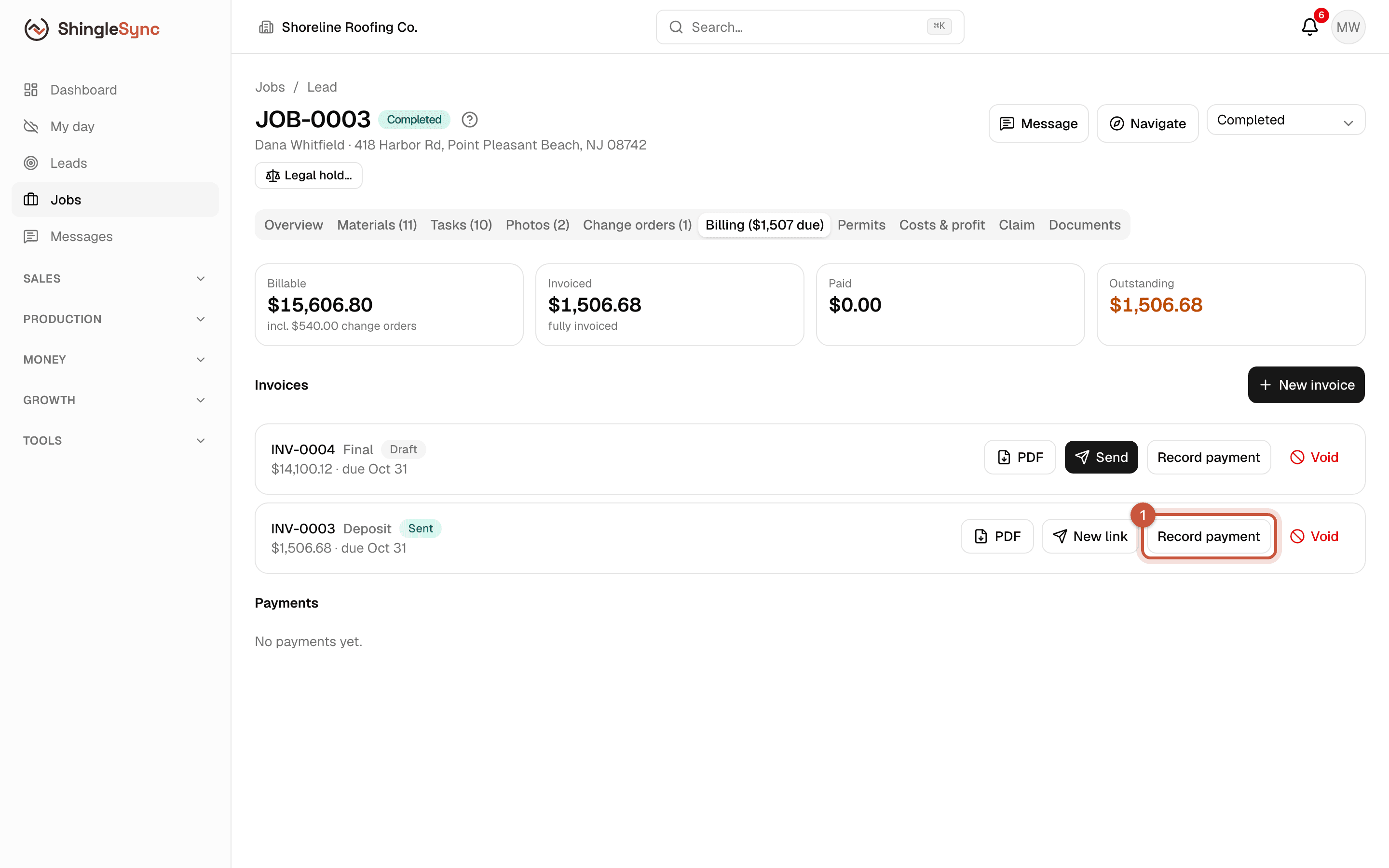
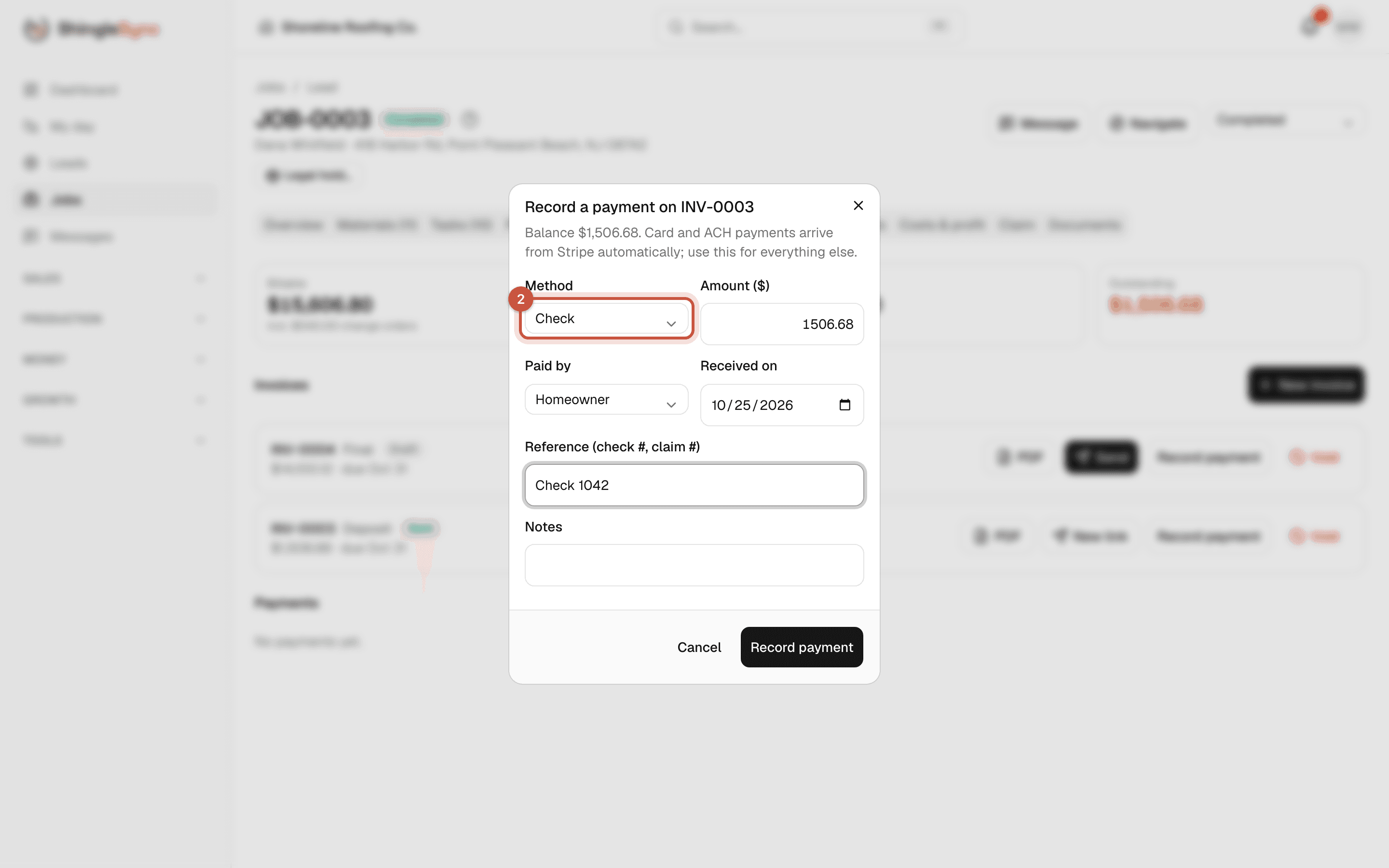
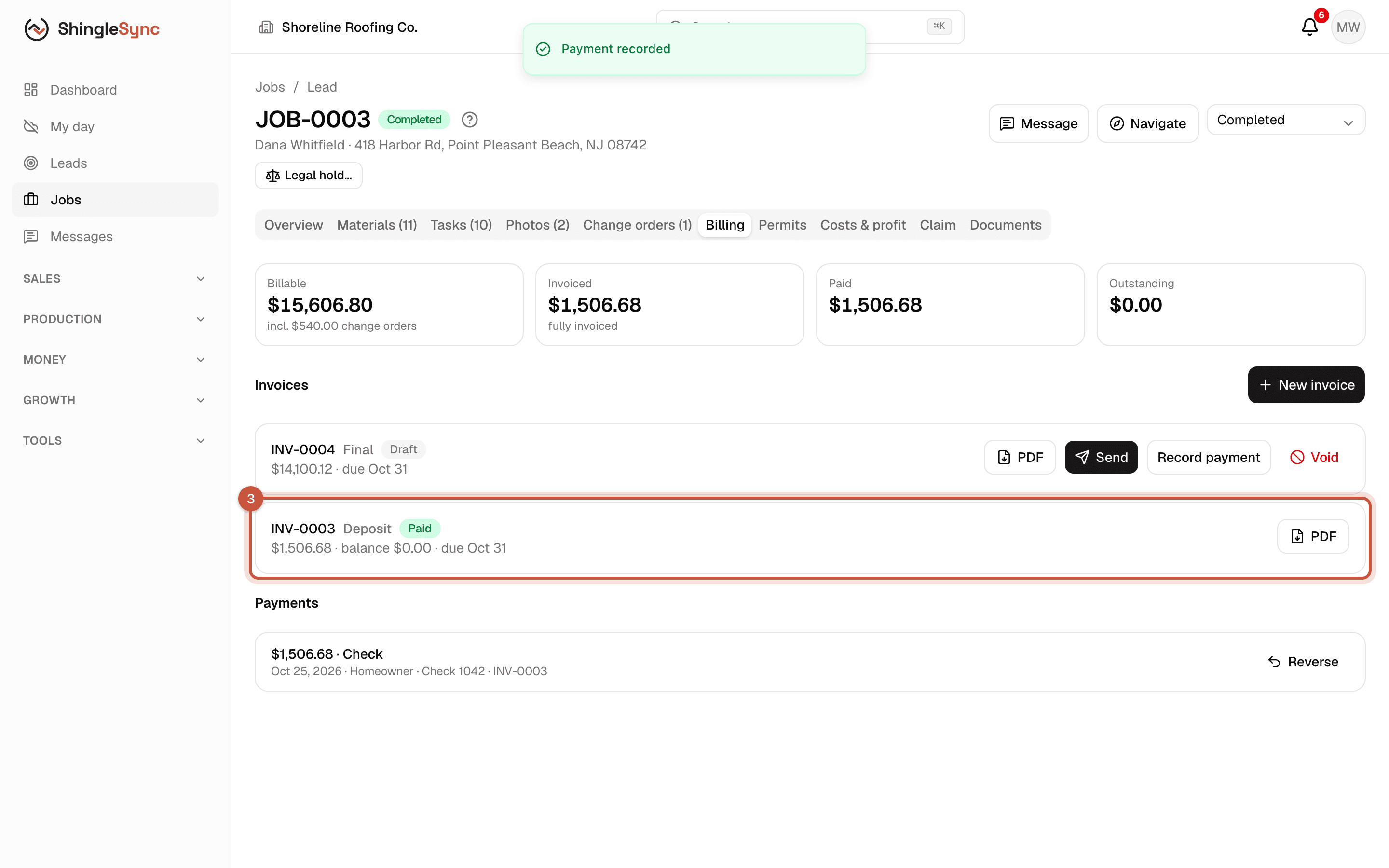
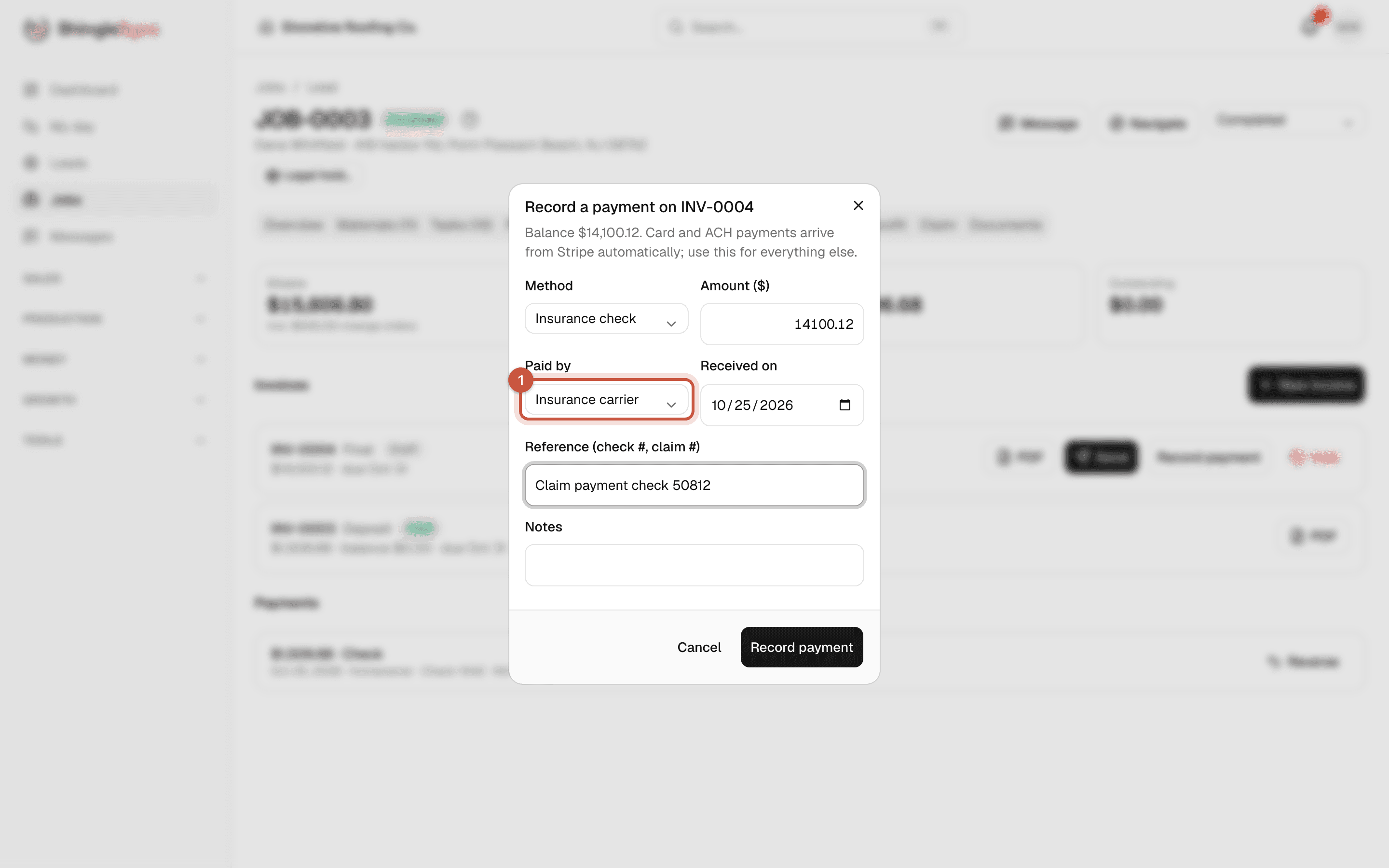
Insurance checks are recorded the same way, with Insurance check as the method and Insurance carrier as who paid. Use the reference for the check number. If the check also needs the mortgage company's endorsement, note that too.
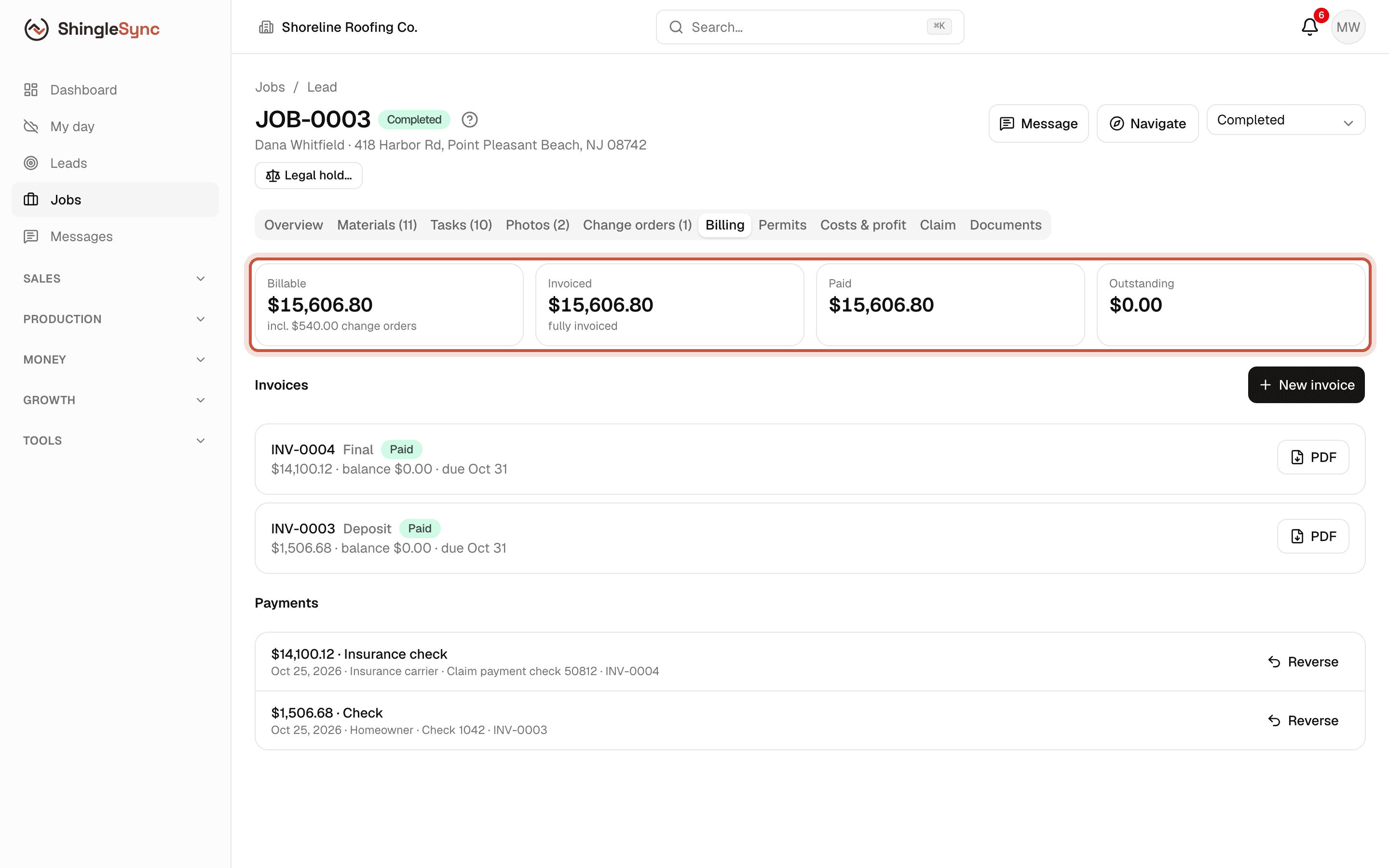
Paid in full
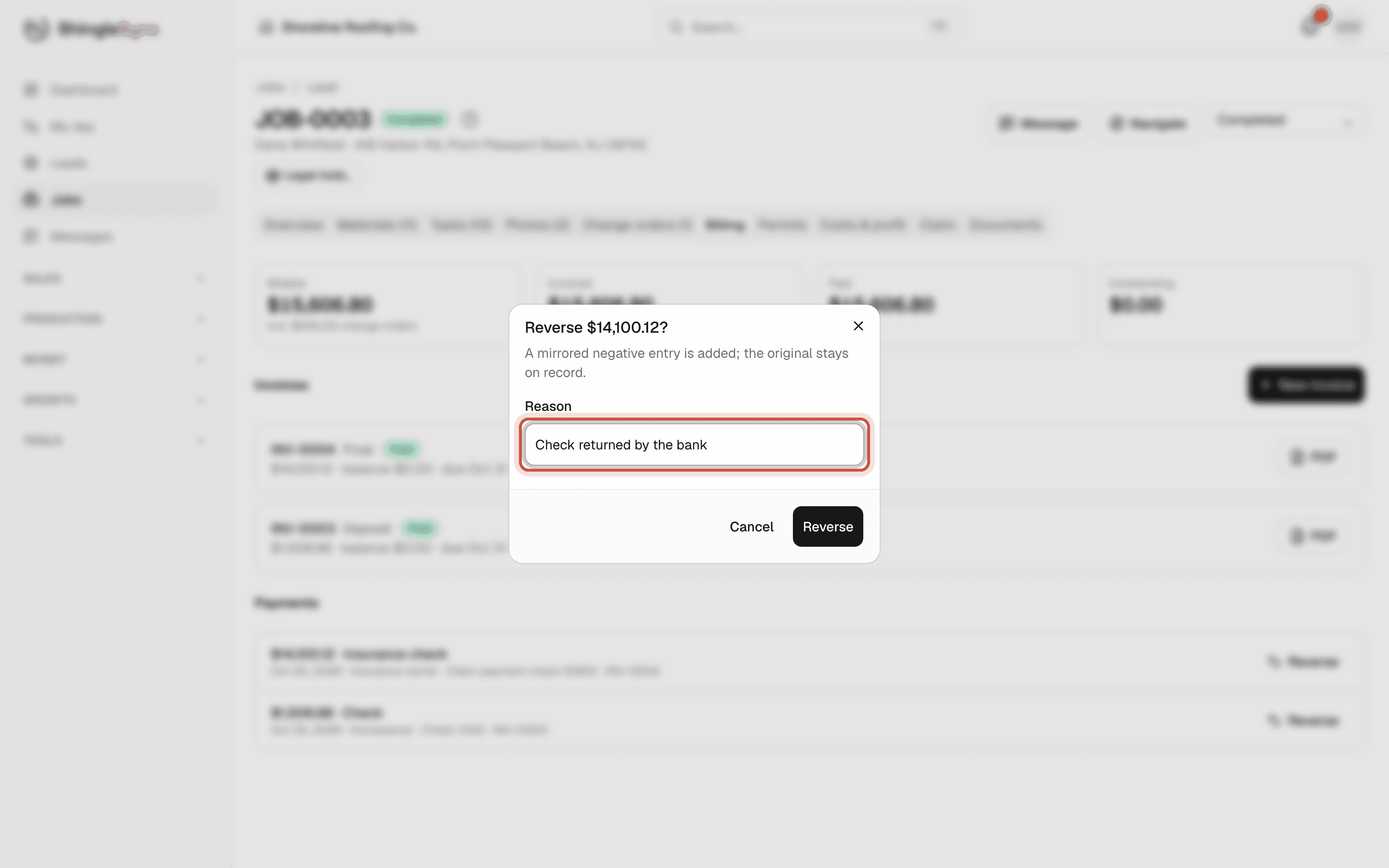
If a check bounces, Reverse the payment and give a reason. A mirrored entry is added, the original stays on record, and the invoice opens again. Card and bank payments are refunded from your Stripe dashboard instead.
Close the job
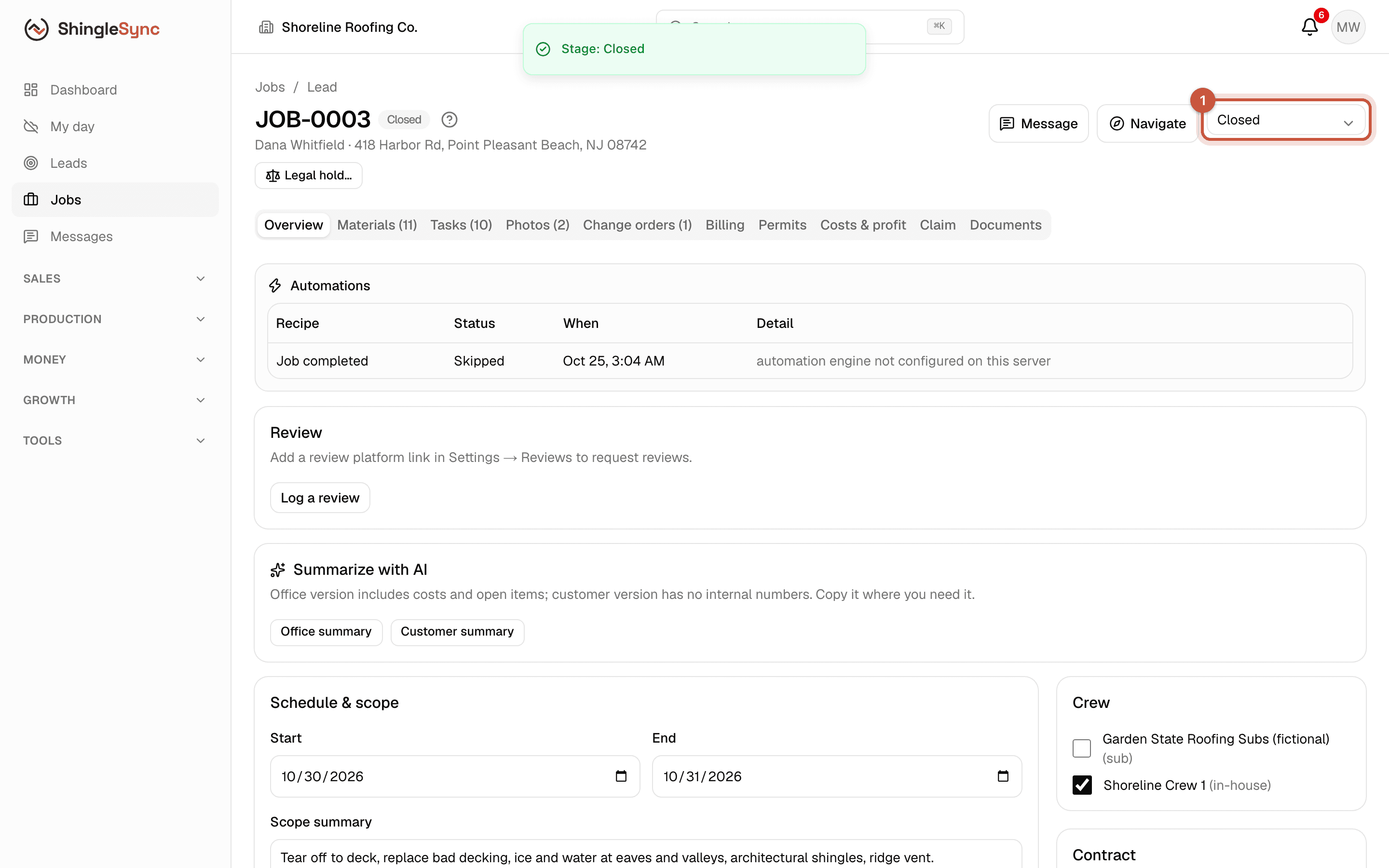
When the job is paid in full, move it to Closed. The customer's page shows their invoiced, paid and outstanding totals across all their jobs.