Chapter 12

Invoices

Deposit, progress, final and supplement invoices, and sending them.

Who: OfficePro and Storm plans

Every job is billed from its Billing tab. ShingleSync knows the signed contract value and any signed change orders, so it can tell you at any moment what's been invoiced, what's been paid and what's still owed.

For the Whitfields' insurance job, the homeowner pays a deposit and the insurance company pays the rest.

The deposit invoice

When the contract was signed, ShingleSync drafted a deposit invoice for you (10% of the contract by default; change it in Settings → Payments). Check it and send it.
Send the deposit invoice · 10 s, no soundWho: Office
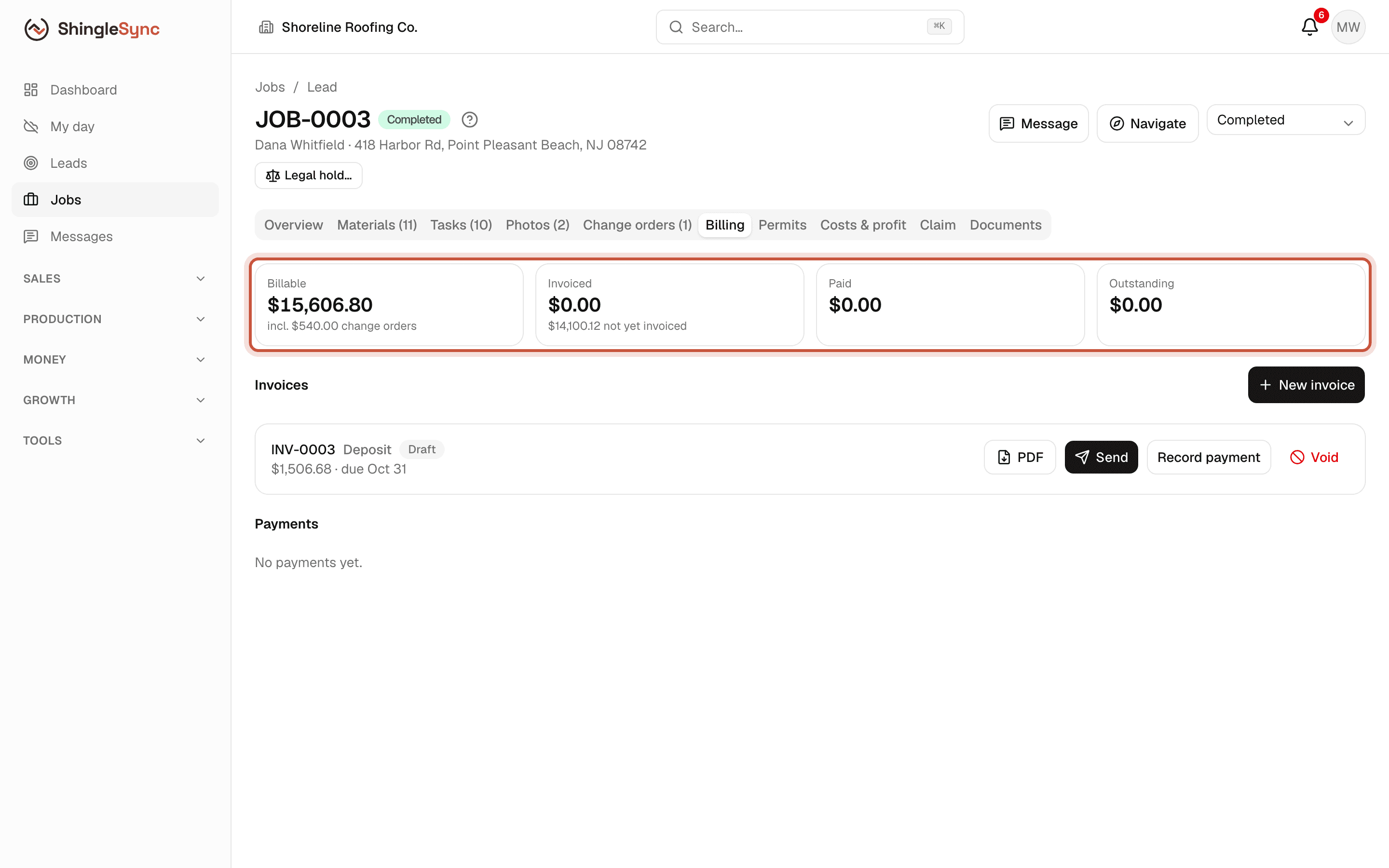
Billing tab of the Whitfield job with the Billable, Invoiced, Paid and Outstanding totals
The job's Billing tab shows what can be billed, what's been invoiced, what's been paid and what's still owed.
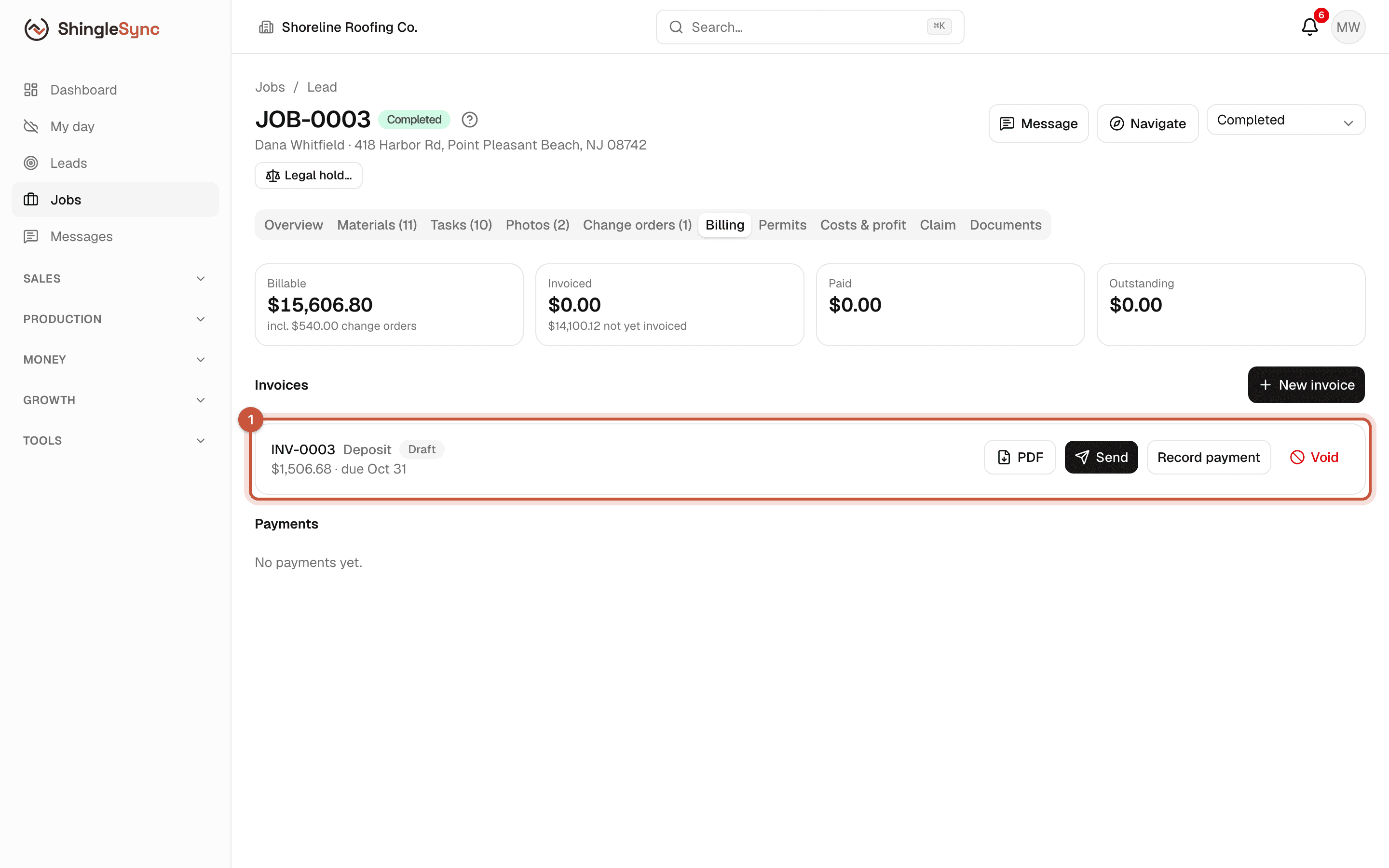
Deposit invoice card in Draft status with PDF, Send, Record payment and Void buttons
1The deposit invoice was drafted when the contract was signed. Check it, then send it.
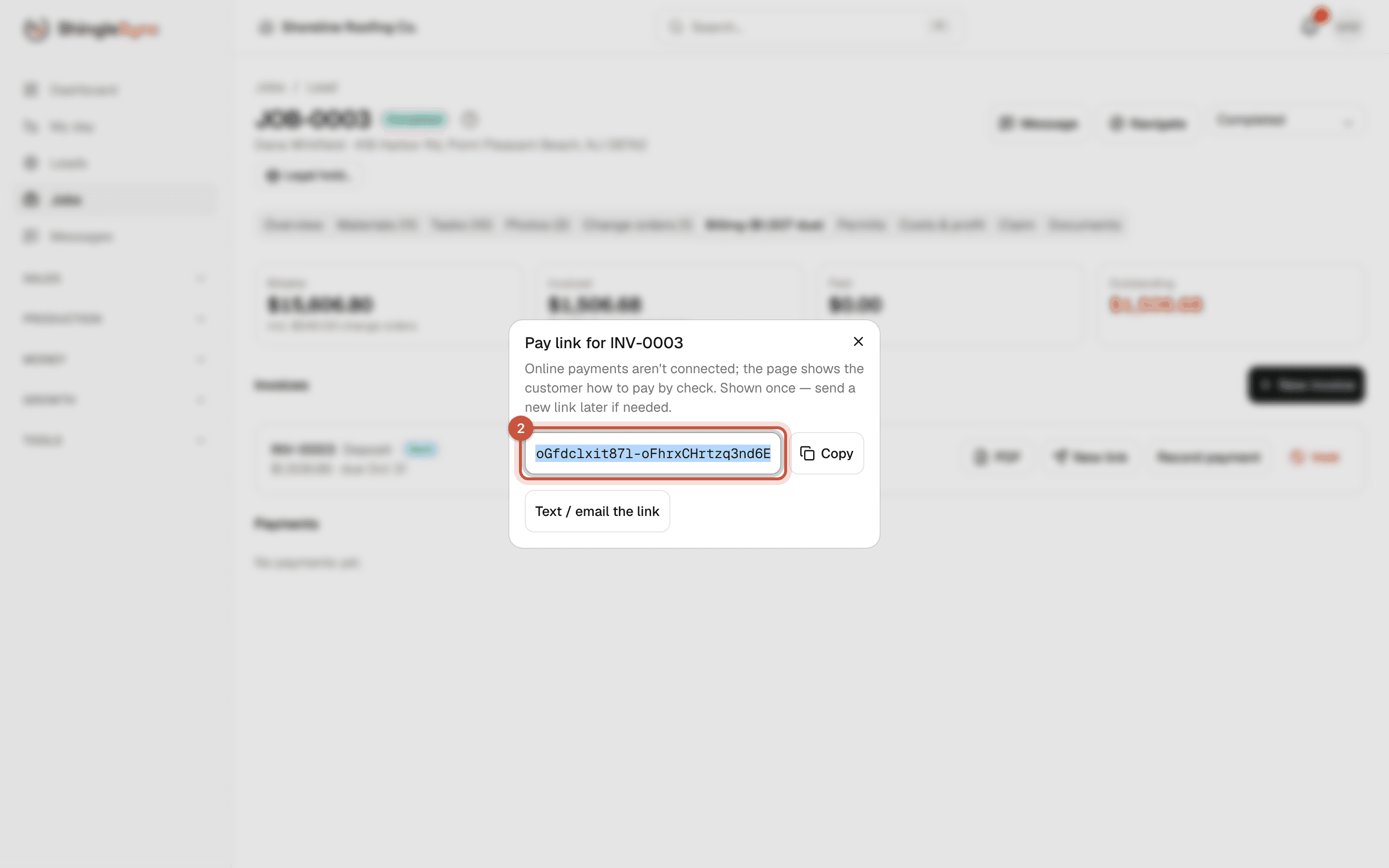
Pay link dialog for the deposit invoice with the link, Copy and Text / email the link buttons
2Send makes a secure pay link for the homeowner. Copy it, or text or email it from ShingleSync.
The link is shown once. If you lose it, use New link on the invoice to make another.

What the homeowner sees

The link opens a simple invoice page on any phone or computer. The homeowner doesn't need an account.
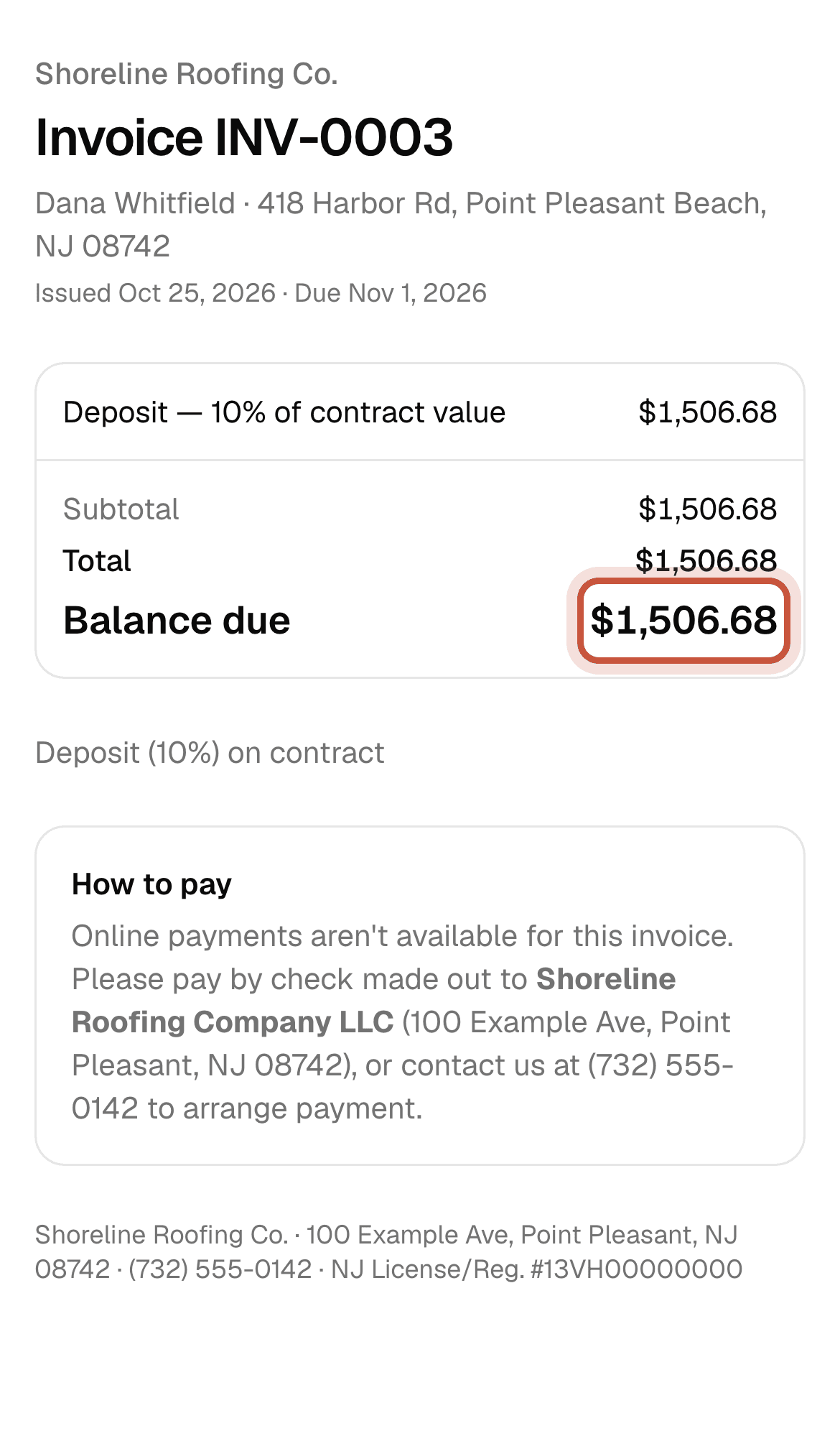
Invoice page on a phone with the balance due highlighted
The homeowner sees the invoice with your company name, the lines and the balance due. No account or password needed.
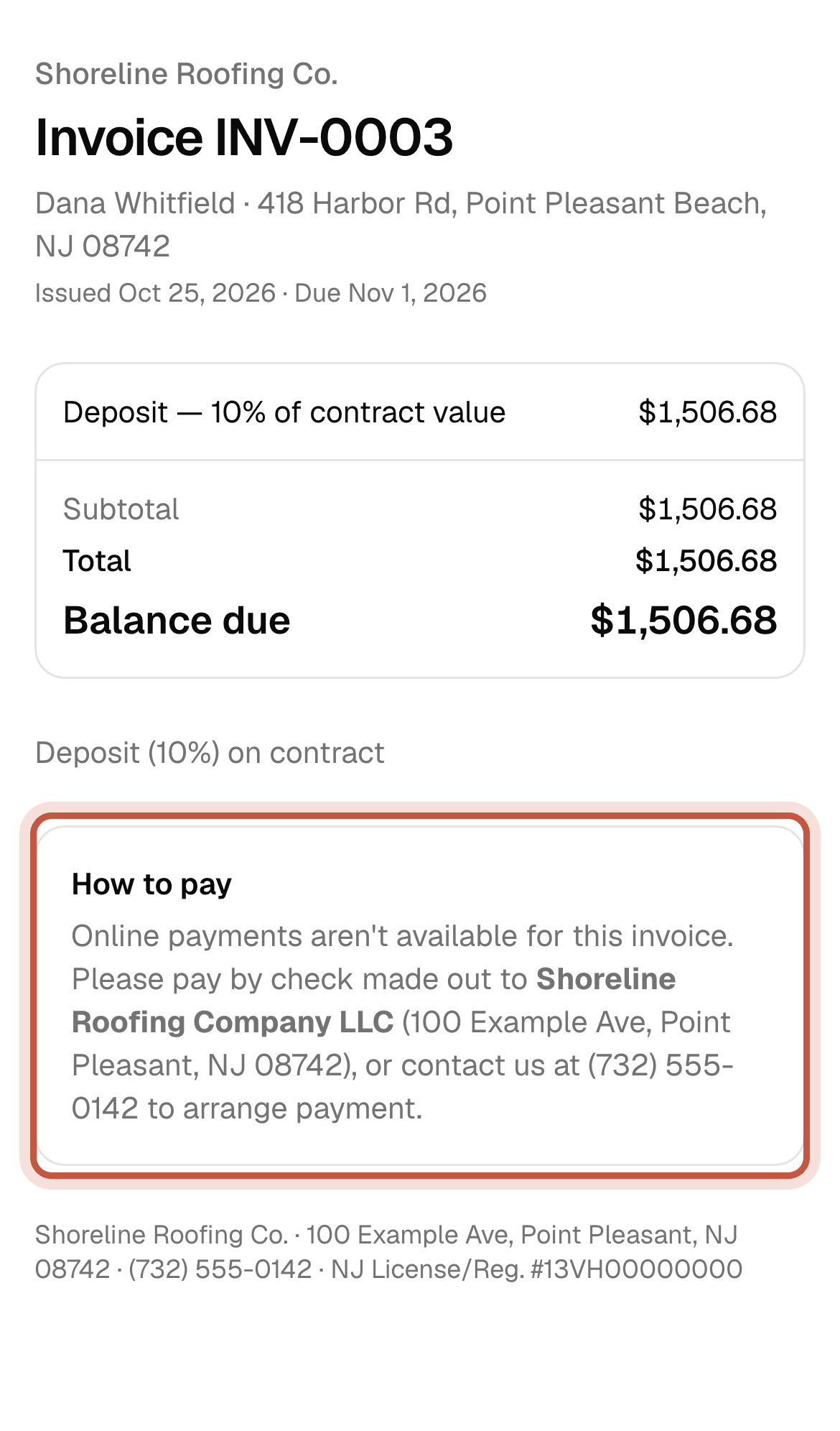
How to pay section of the invoice page
Below the balance: a button to pay by card or bank account when Stripe is connected, or how to pay by check when it isn't.

Progress, supplement and final invoices

Use New invoice for everything after the deposit:

  • Progress bills an amount you choose, for example when materials are delivered.
  • Supplement bills extra work the insurer approved.
  • Final bills everything not yet invoiced.
  • Custom lines lets you type your own line items.

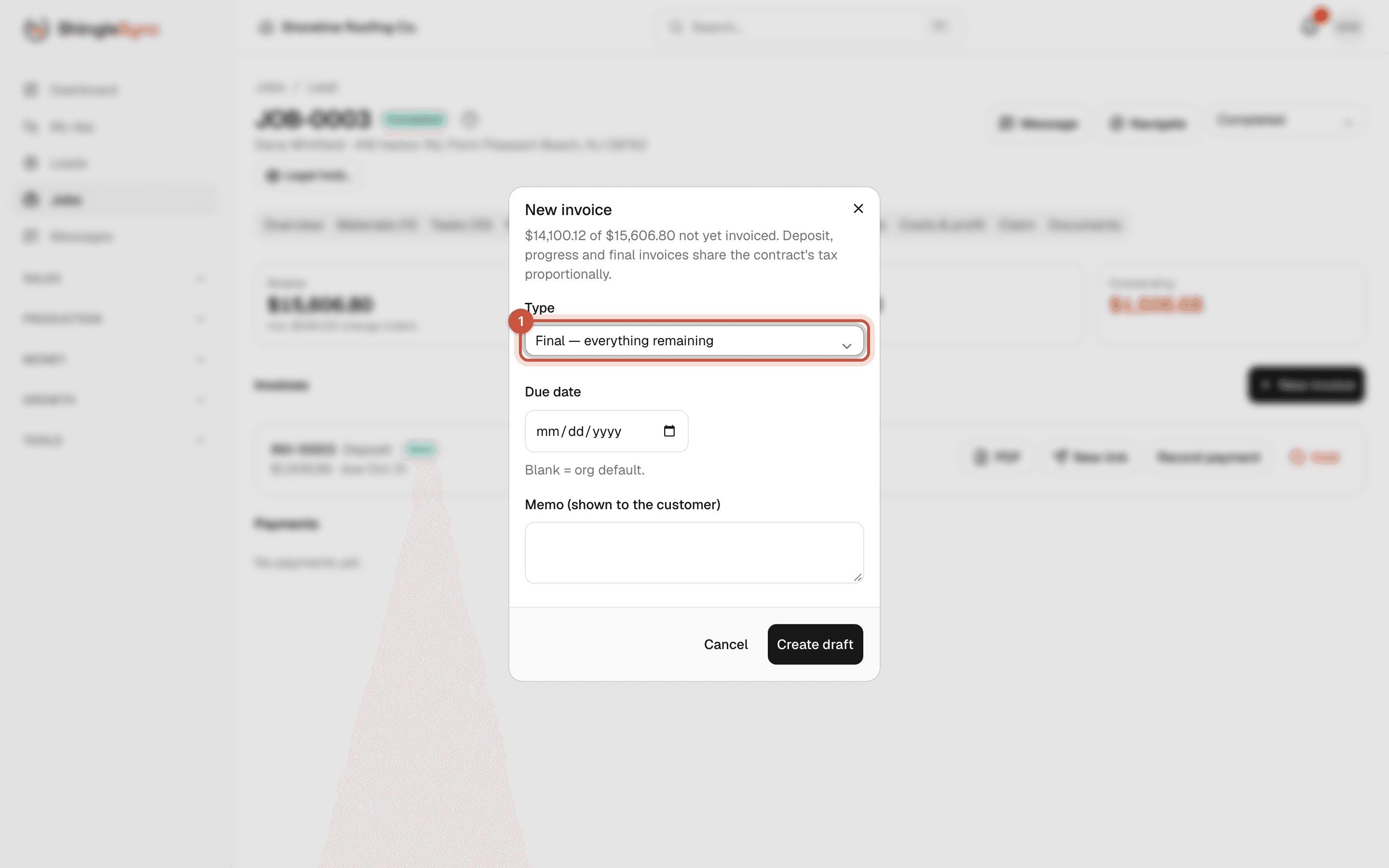
Deposit, progress and final invoices share the contract's sales tax in proportion, so the totals always add up to the contract. ShingleSync won't let you invoice more than the job's billable total.
Create the final invoice · 9 s, no soundWho: Office
New invoice dialog with the type set to Final
1New invoice: choose Final to bill everything not yet invoiced. Progress and supplement invoices take an amount.
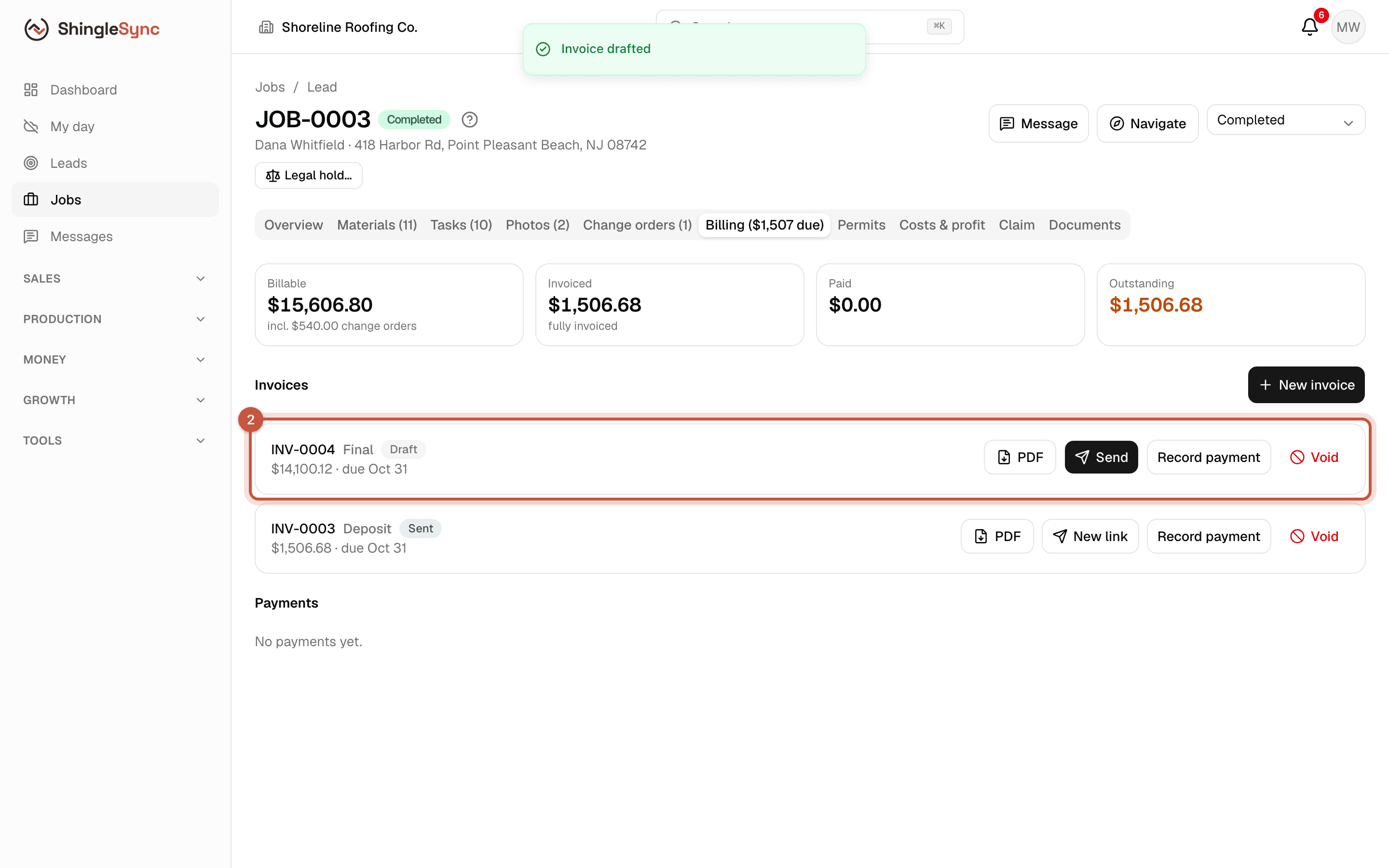
Final invoice card in Draft status below the sent deposit invoice
2The final invoice is drafted with its share of sales tax. Send it the same way, or keep it as a record for the insurance check.

All invoices

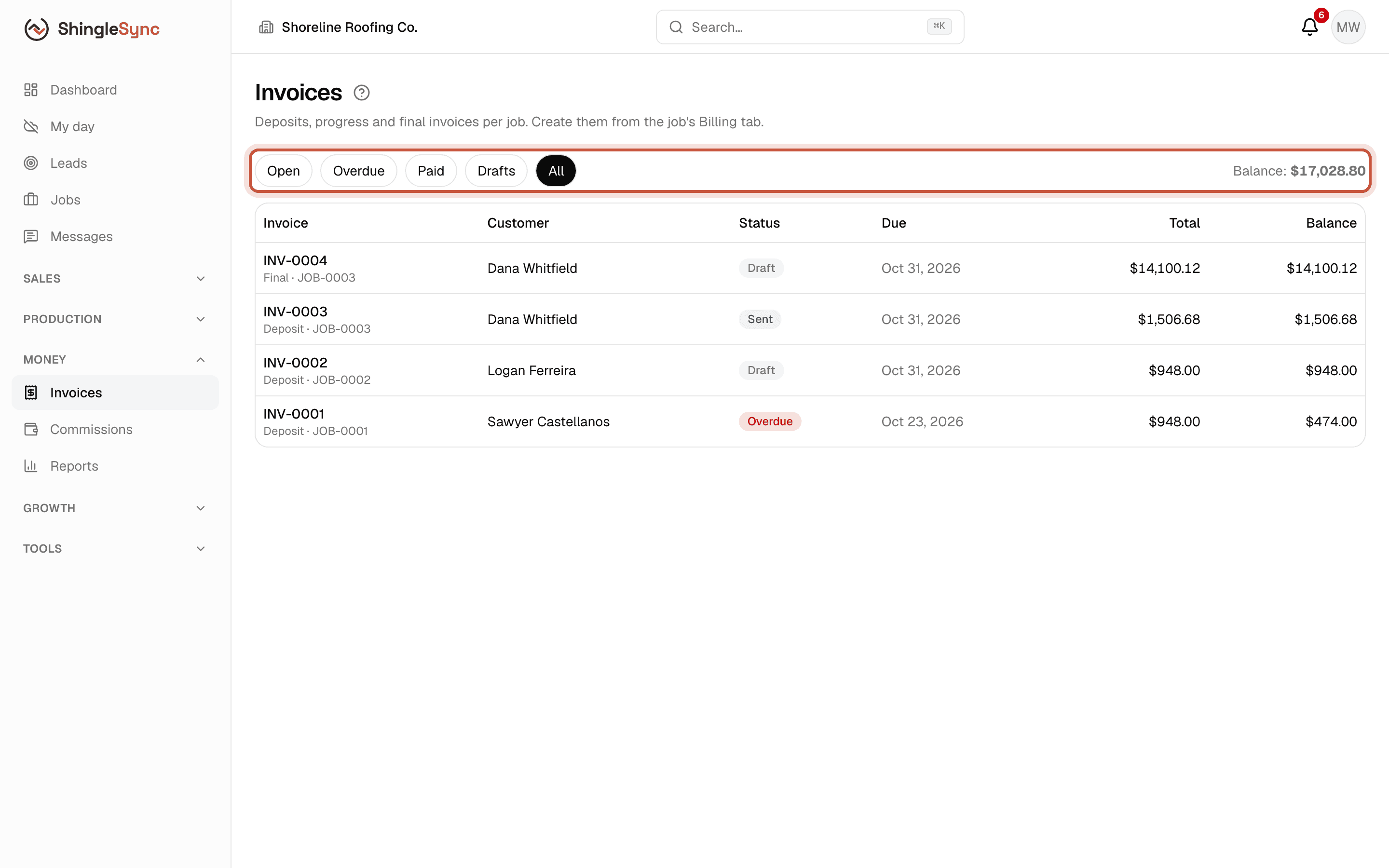
Invoices list with filters and the balance total
Invoices lists every invoice across jobs. Filter by open, overdue, paid or draft; the total balance is on the right.

An invoice that's past its due date and not paid shows as Overdue. Each invoice has a PDF button if you need to print or attach it.