Chapter 5
Insurance claim
Record the carrier, claim number, adjuster meeting and the numbers from the scope of loss.
Who: Sales repOfficePro and Storm plans
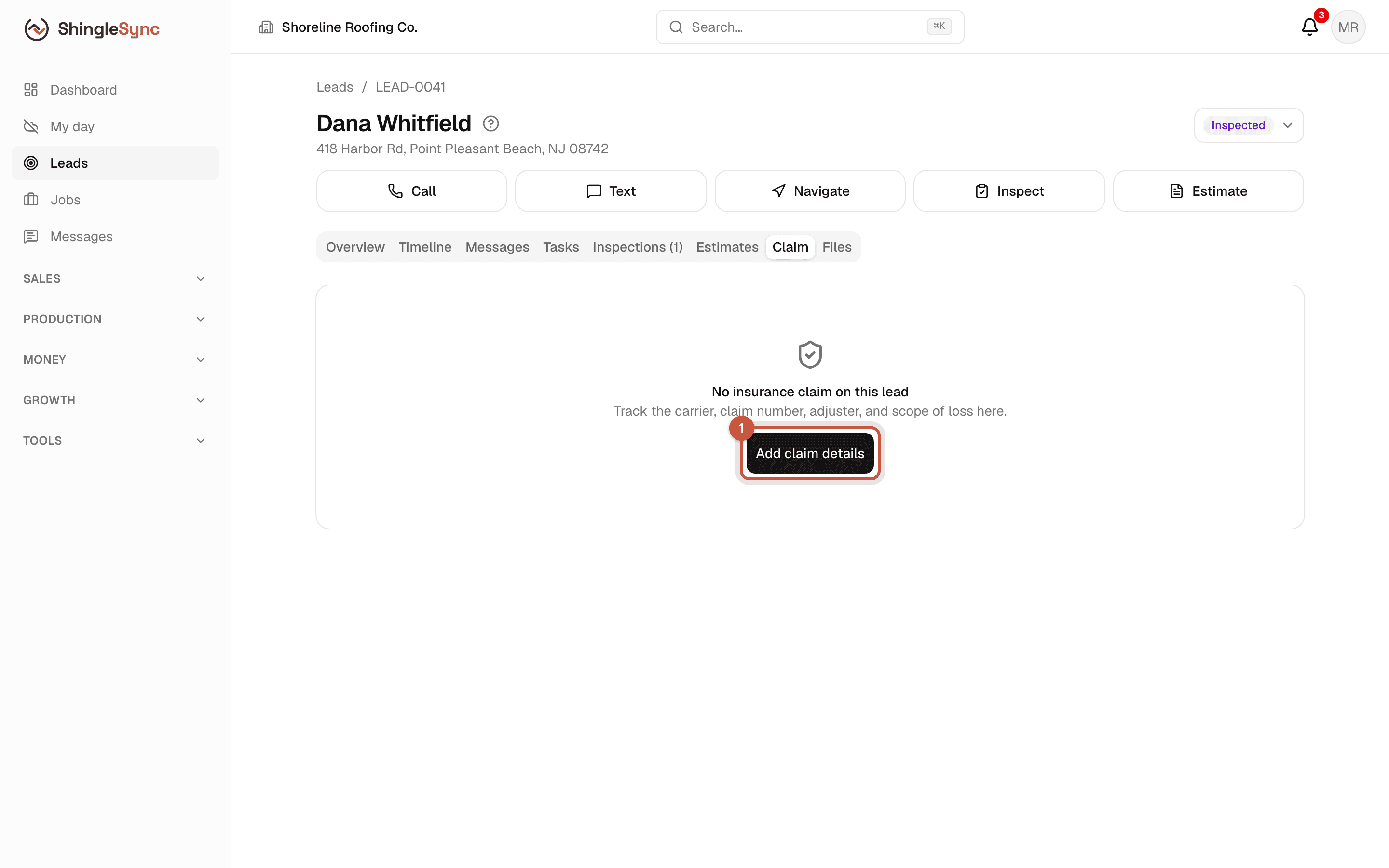
When the homeowner files an insurance claim, keep its details on the lead: carrier, claim number, adjuster, the adjuster meeting, the numbers from the scope of loss, and the paperwork. Then everyone on the job is working from the same information.
ShingleSync is for documentation and scheduling. The claim belongs to the homeowner and their insurer. Record figures as the carrier reports them, and don't offer to waive or cover the deductible.
The carrier, adjuster and figures below are made up.
Record the claim
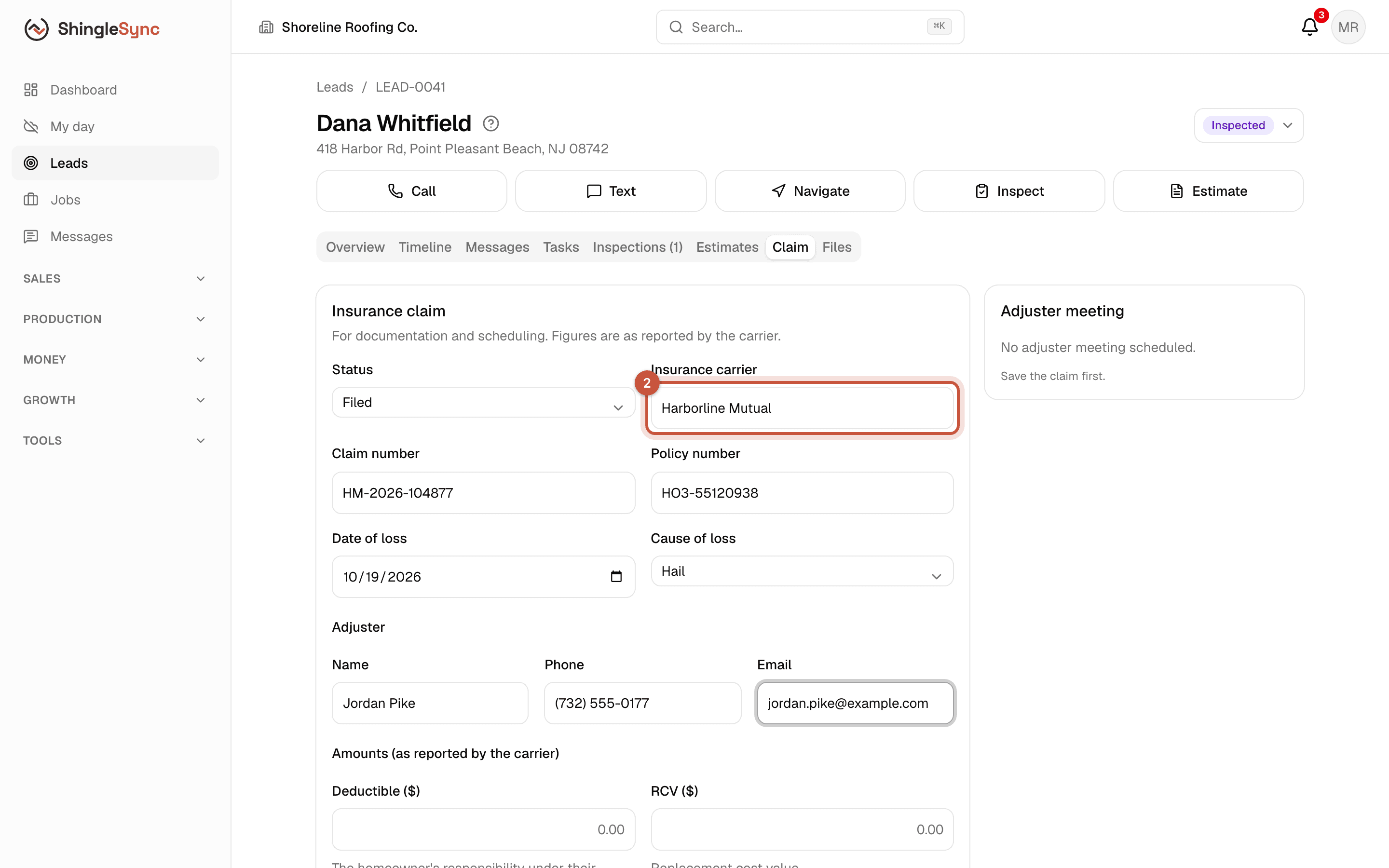
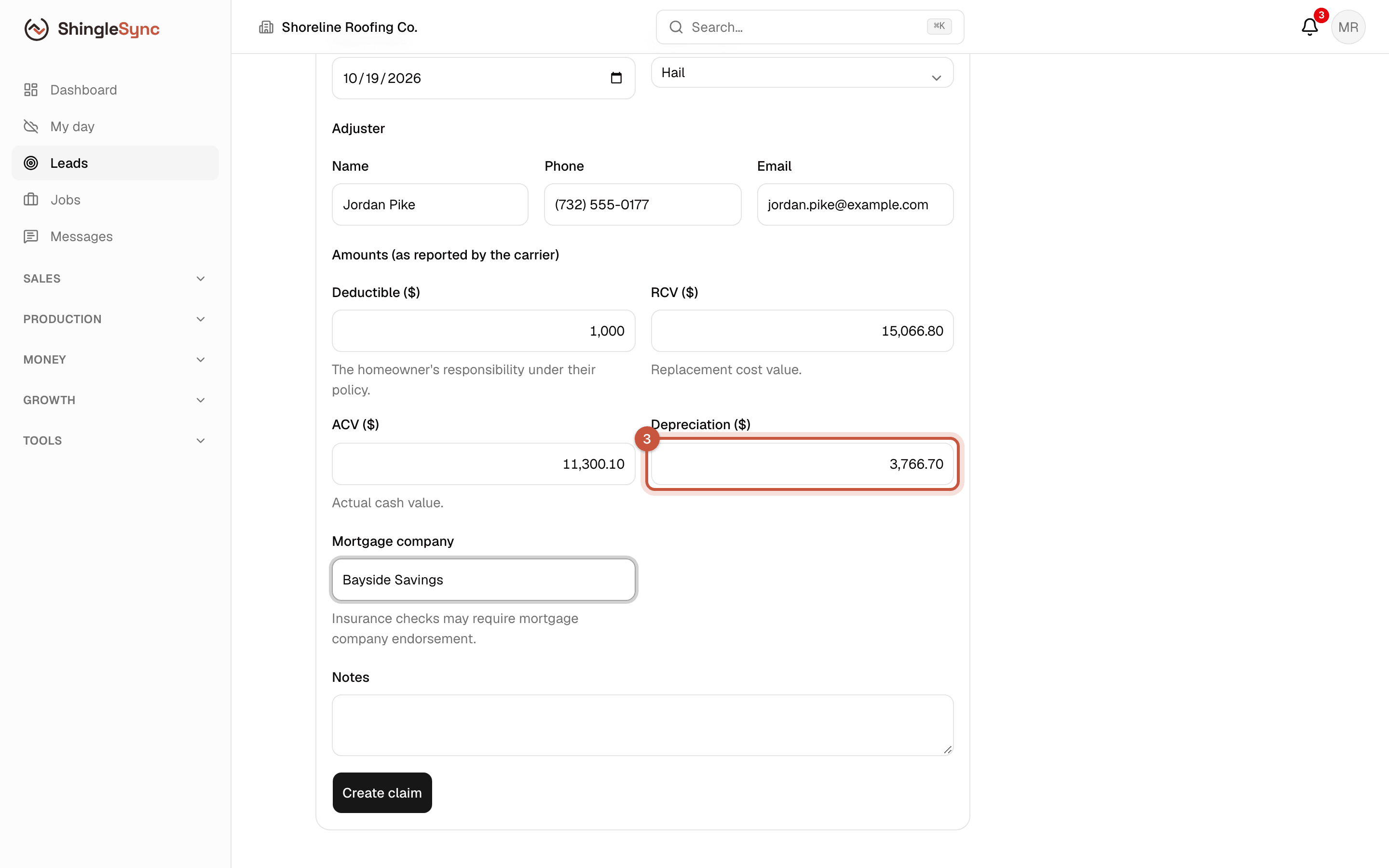
Keep the Status current as the claim moves: Filed, Adjuster scheduled, Inspected, Approved, Partially approved, Denied, Supplement pending, Closed.
Insurance checks often need the mortgage company's endorsement. Recording the mortgage company here makes that easier to follow up.
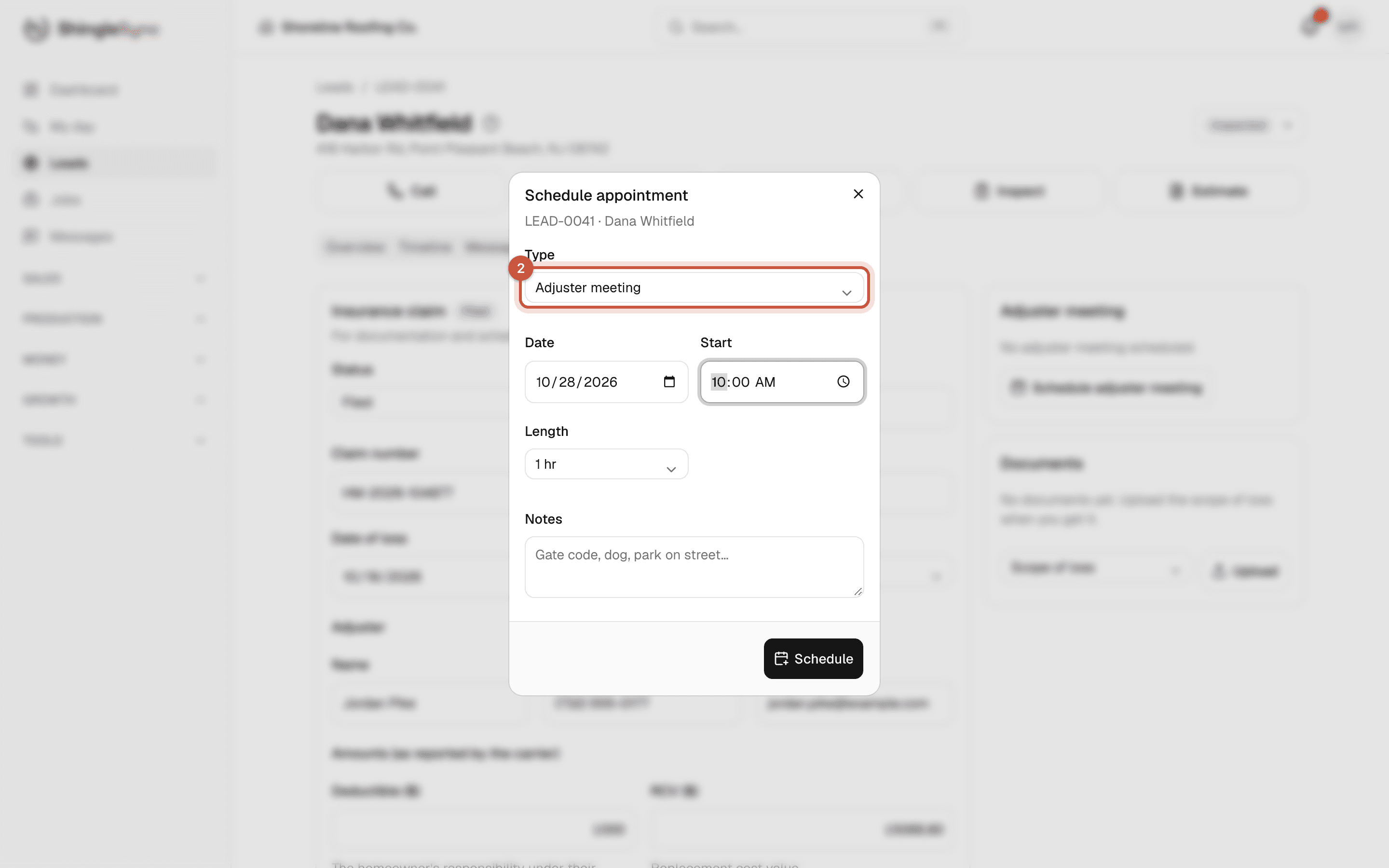
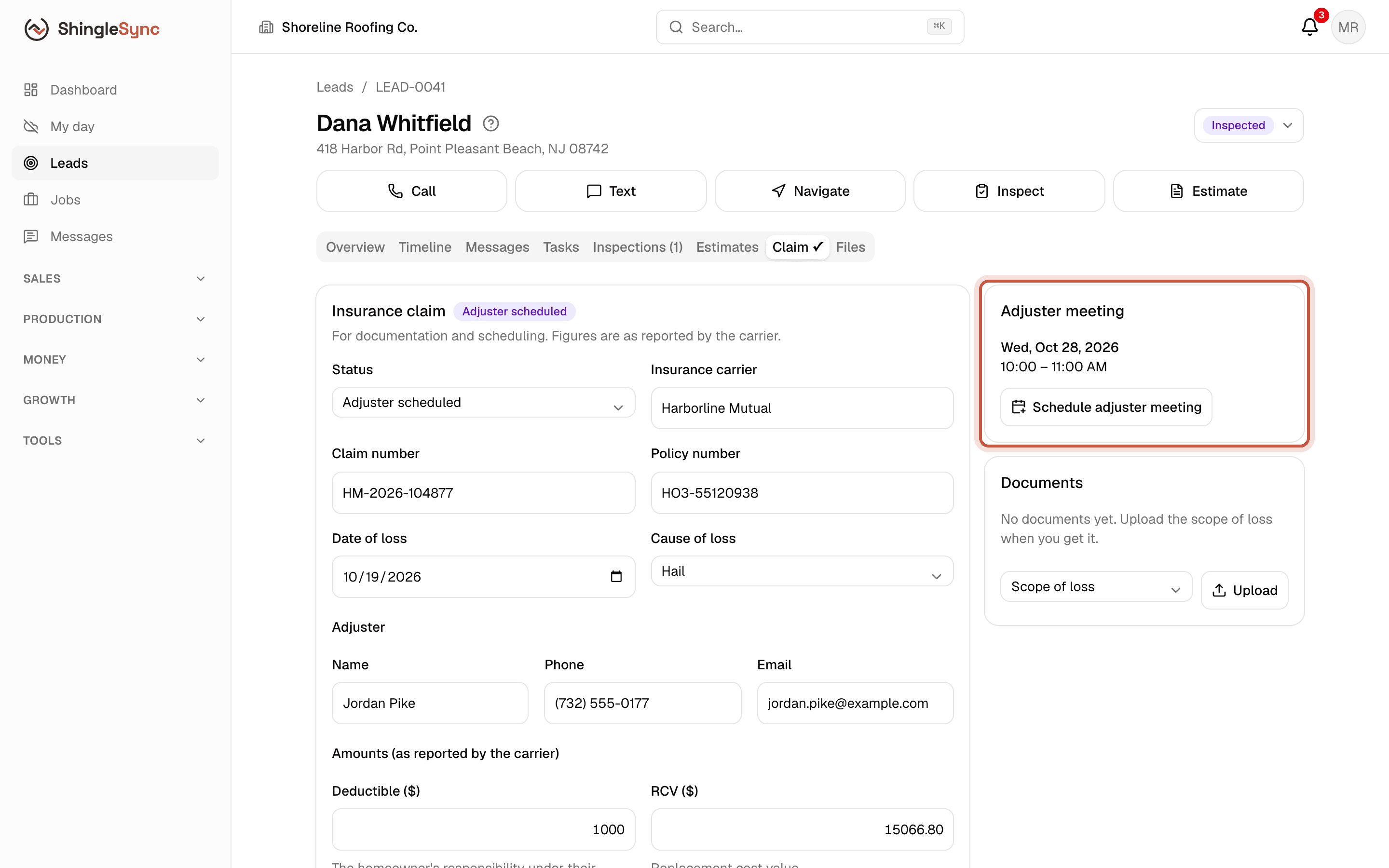
Schedule the adjuster meeting
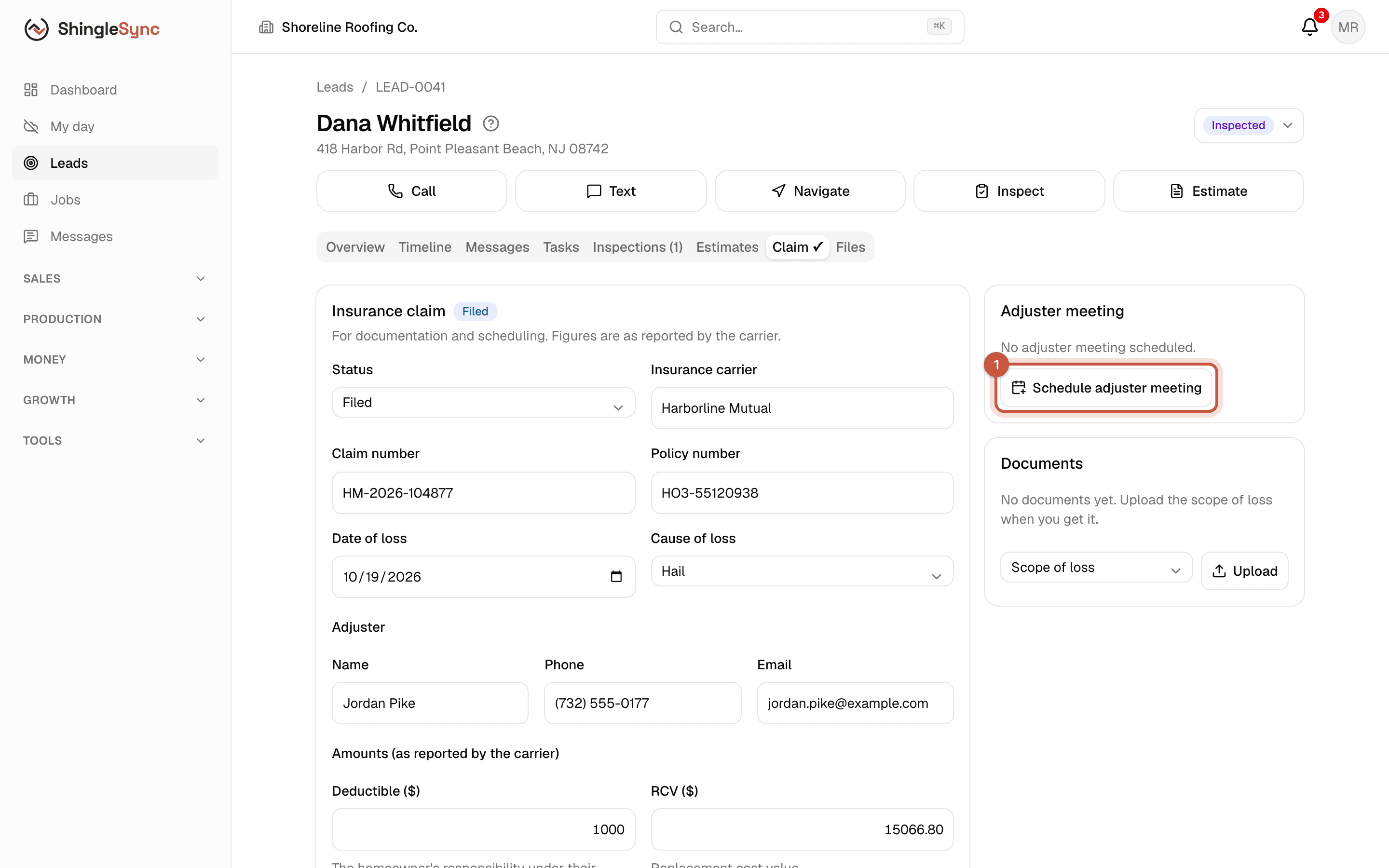
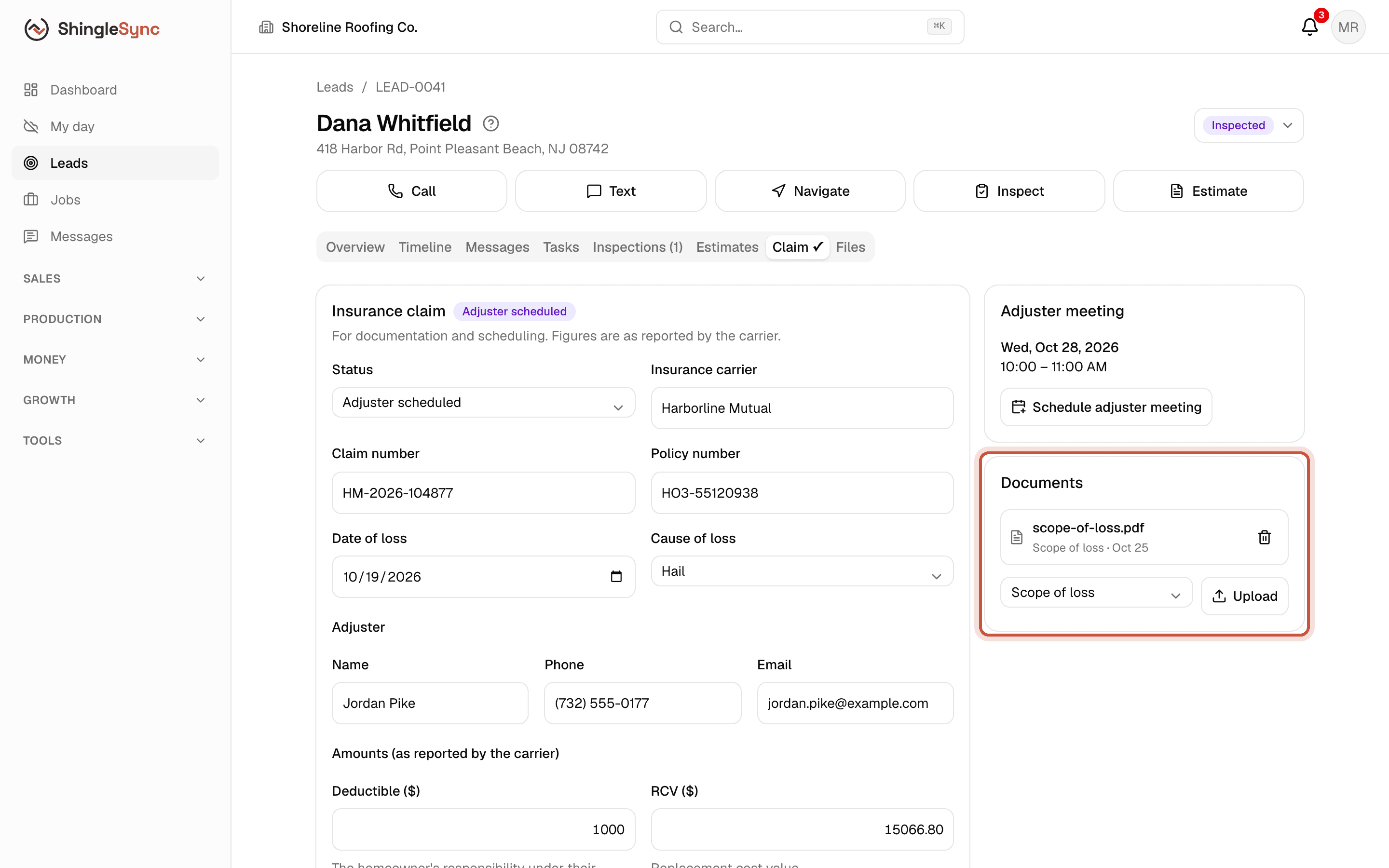
Keep the paperwork
Supplements and depreciation
Once the claim is saved, two more cards appear:
- Supplements: additional scope you submitted to the carrier and what they approved. An approved amount drafts a change order on the job, so billing follows the usual path.
- Depreciation & mortgage check: what's recoverable after the work is done, and where the mortgage company endorsement stands.
The claim also shows on the job's Claim tab, and every claim is listed under Claims in the sidebar.