Chapter 6

Measure the roof

Enter squares and linear footage, or import a measurement report.

Who: Sales repAll plans

The estimate works out quantities from the roof's measurements: squares, pitch, waste and linear footage. Enter them once on the property and every estimate for it can use them.

Enter the measurements
Enter the measurements · 34 s, no soundWho: Sales rep
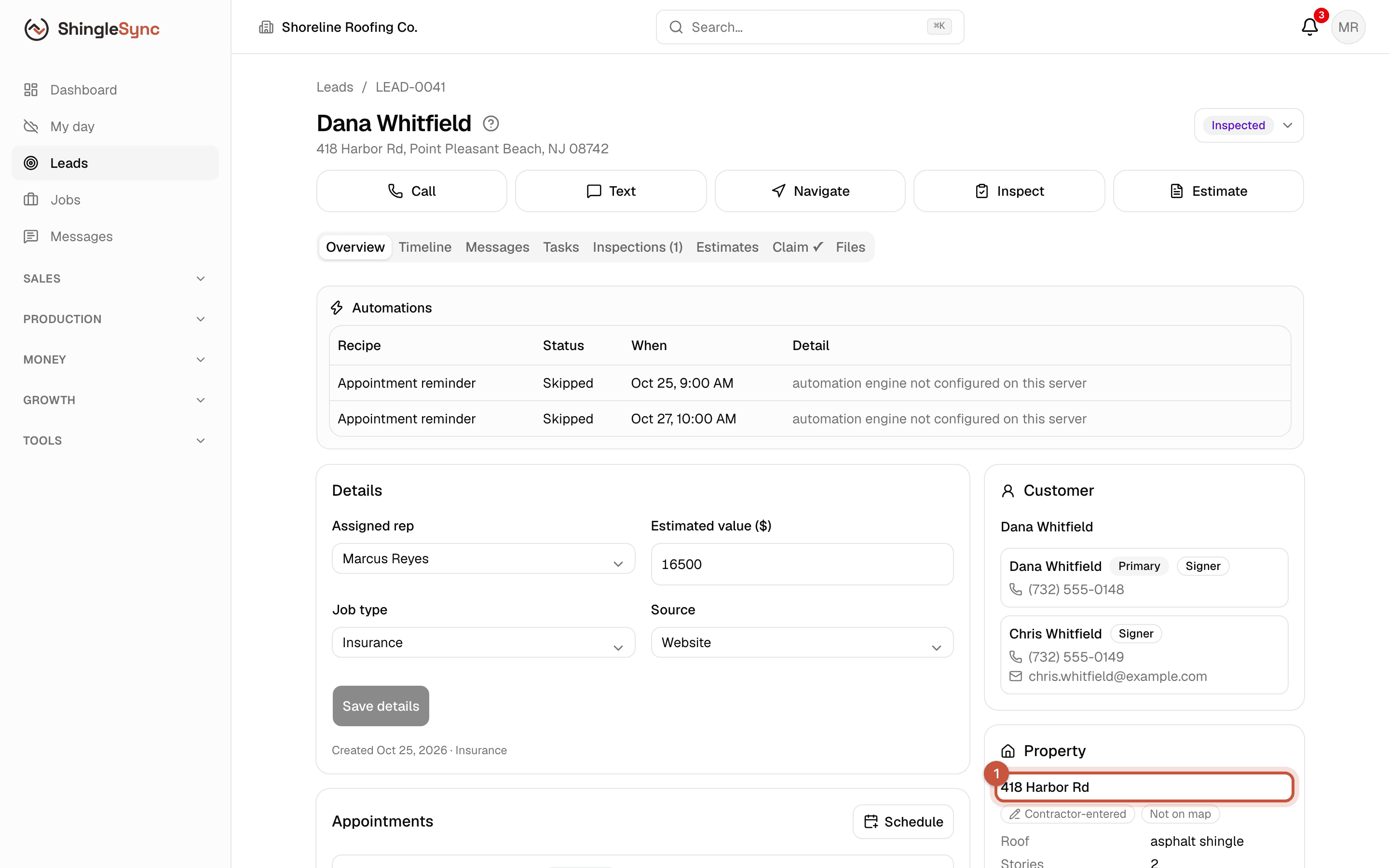
Lead page with the property link highlighted
1Measurements belong to the property, so they're there for every future job. Open it from the lead.
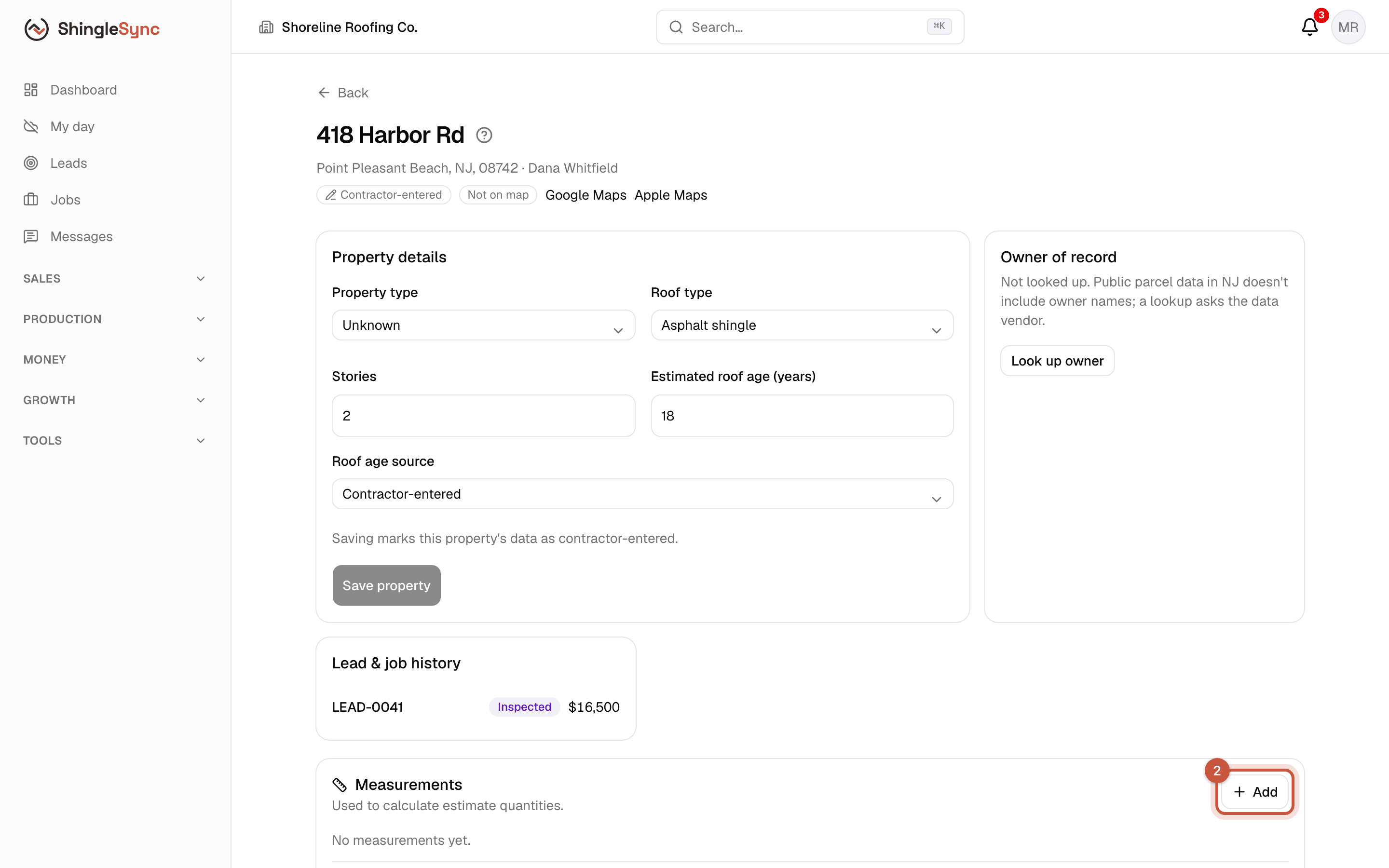
Property page with the Measurements card and its Add button
2In the Measurements card, click Add.
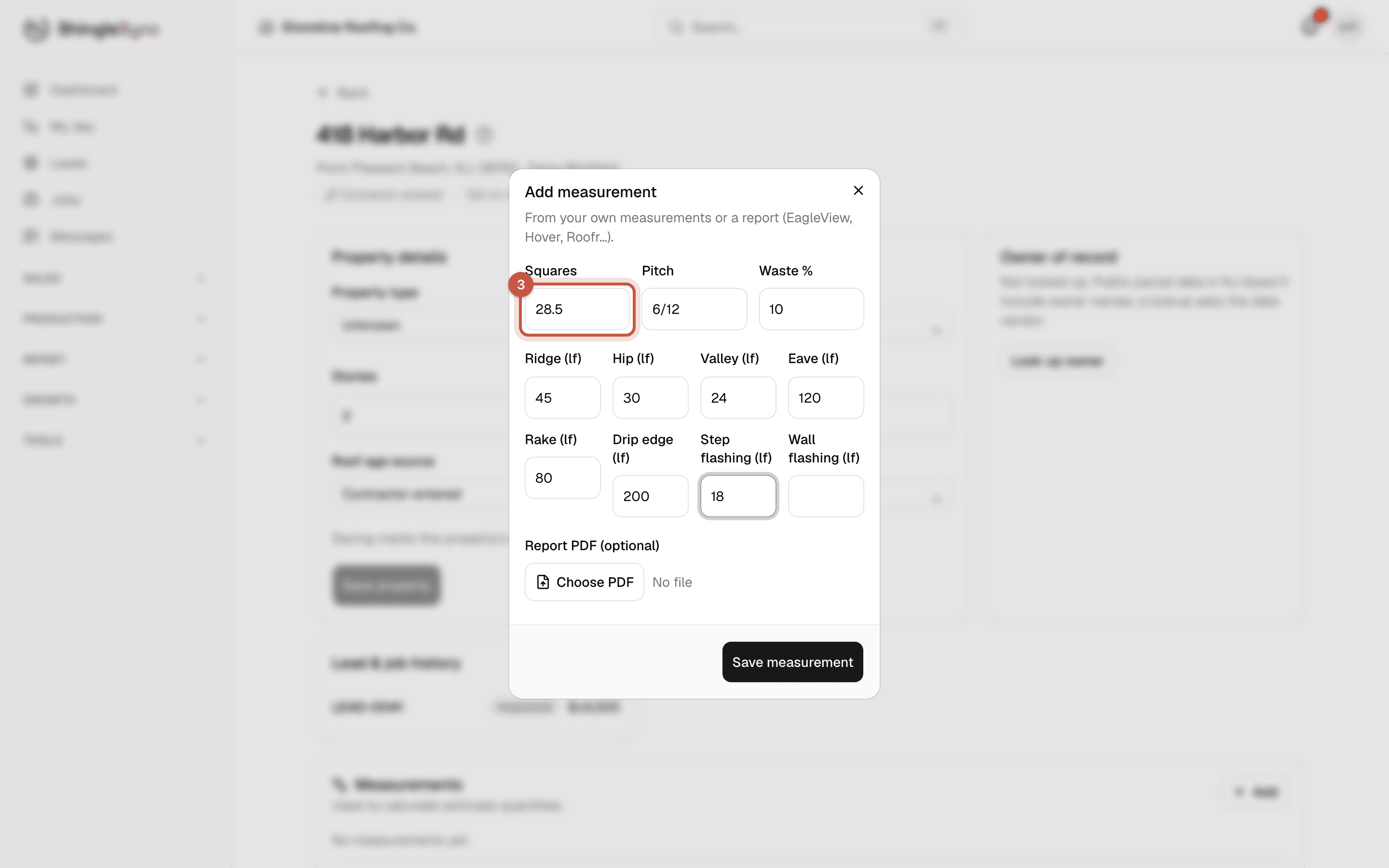
Add measurement dialog filled in: 28.5 squares, 6/12 pitch, 10% waste and linear footage
3Enter squares, pitch, waste and the linear footage from your own measurements or from a report.
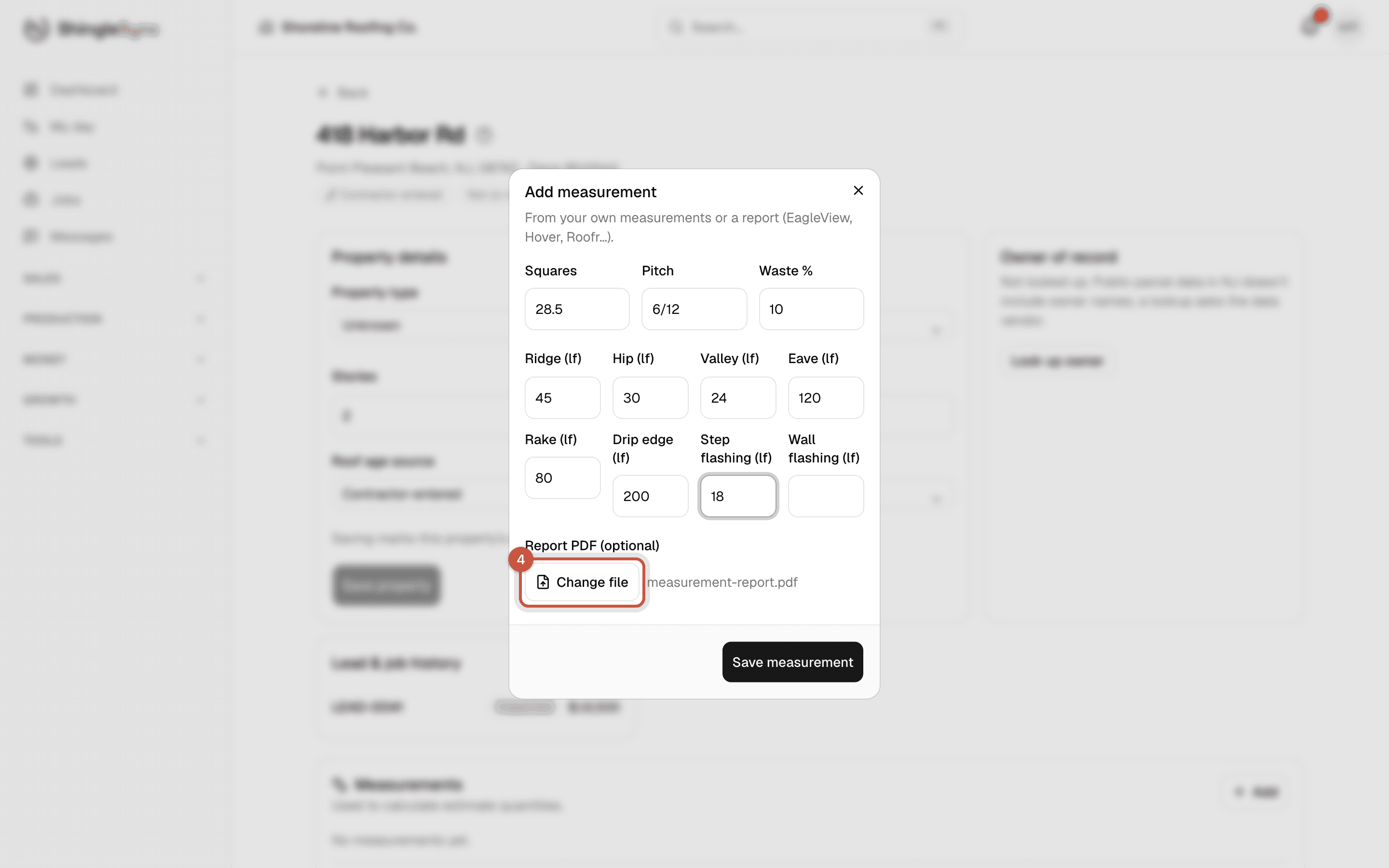
Report PDF attached to the measurement
4Attach the report PDF if you have one, so it's kept with the numbers.
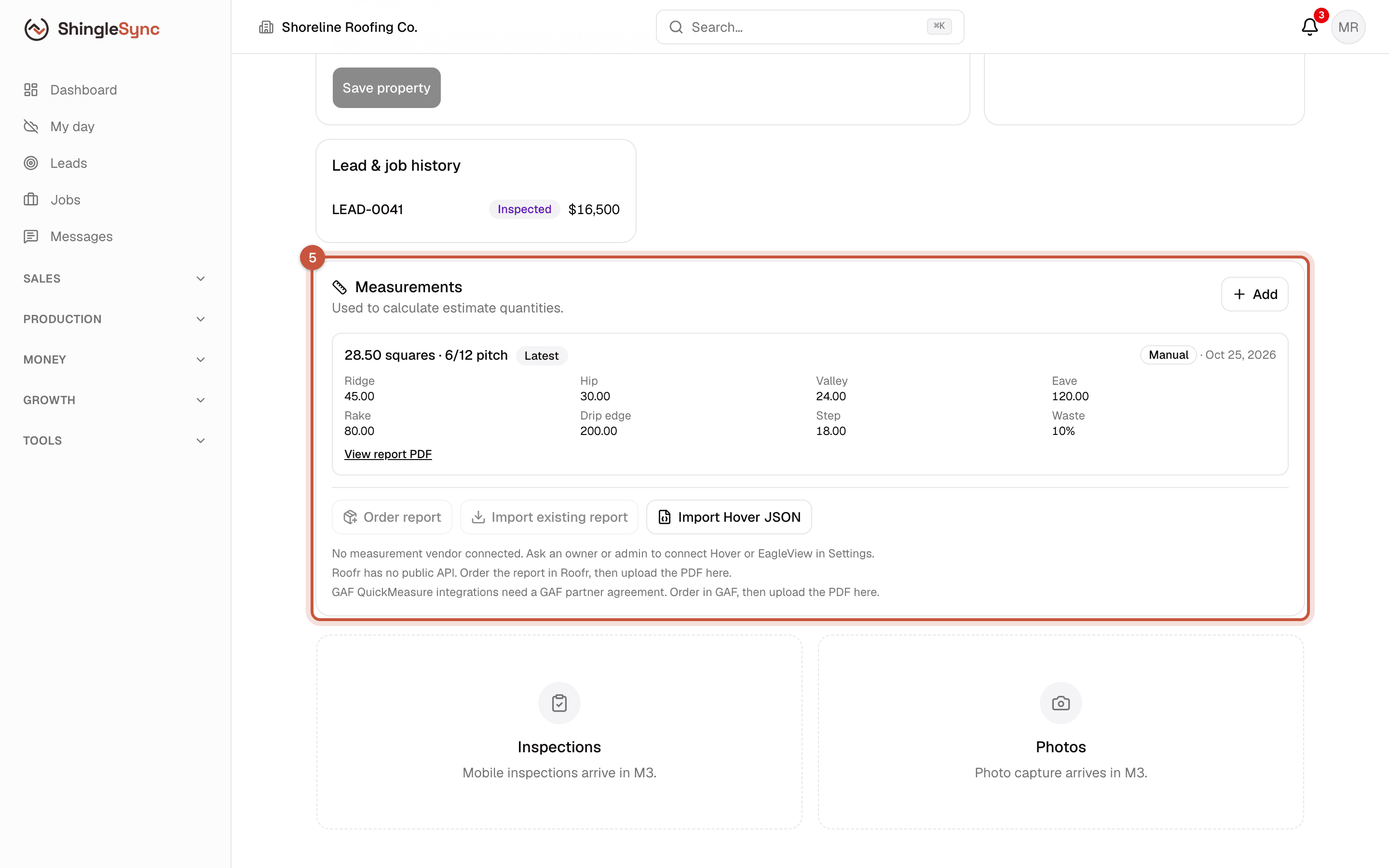
Saved measurement: 28.50 squares, 6/12 pitch, with the linear footage and the report link
5The newest measurement is marked Latest. Estimates use it to work out quantities.

Reports from Hover and EagleView

If your company has a Hover or EagleView account, an owner or admin can connect it in Settings → Integrations. You can then order a report, or import one you already have, from the property page instead of typing the numbers in.

Roofr and GAF QuickMeasure don't offer a connection. Order the report there, then enter the numbers and attach the PDF as above.
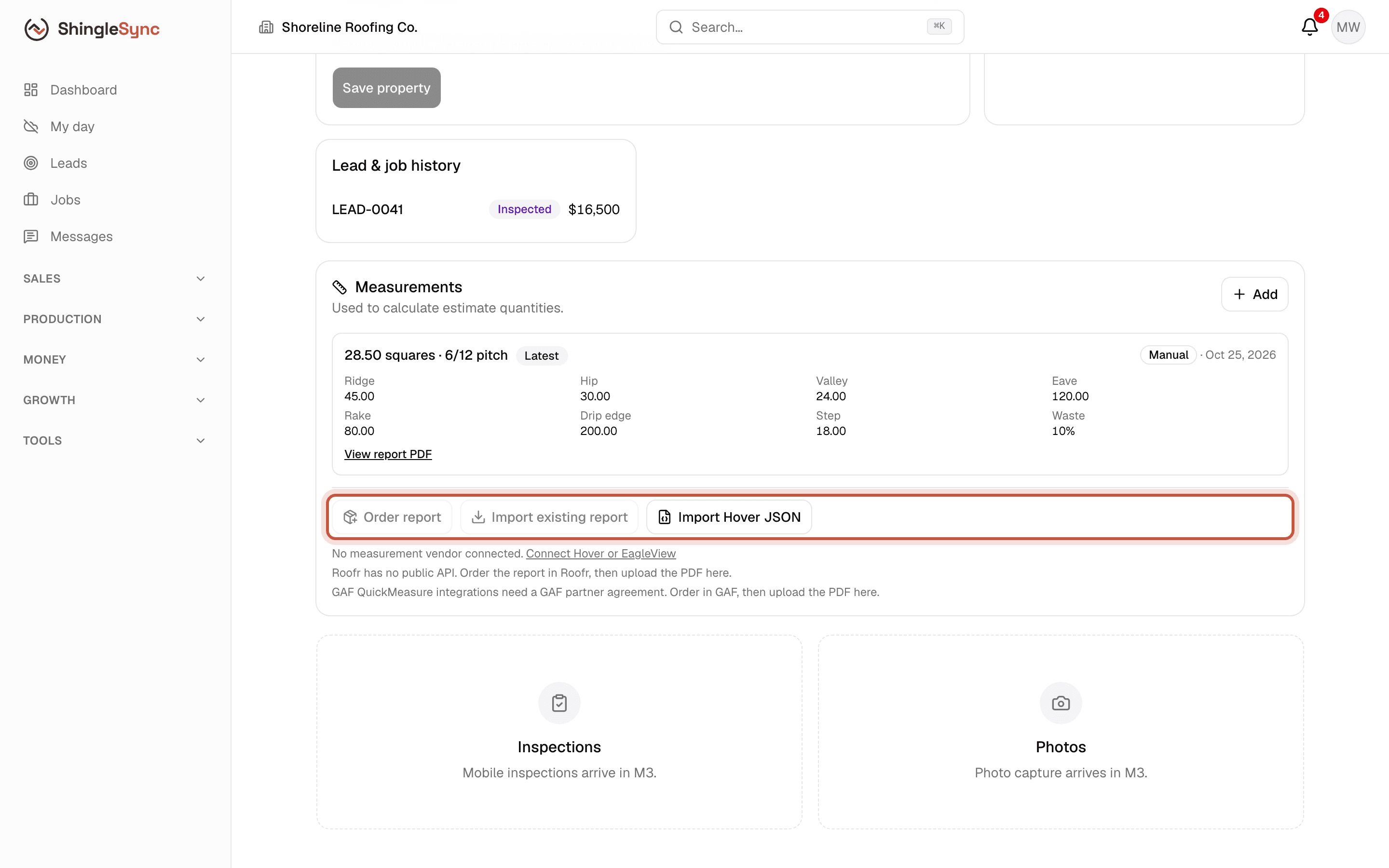
Measurement vendor panel with Order report and Import buttons
With Hover or EagleView connected in Settings → Integrations, you can order or import a report here instead of typing it in.