Chapter 3

Schedule the inspection

Book the inspection, avoid double-booking, and see the day on your phone.

Who: Sales repOfficeAll plans

Book the inspection from the lead, so it's tied to the right homeowner and address. The same steps book estimates, follow-ups, installations, final walkthroughs and adjuster meetings (chapter 5).

Book the inspection
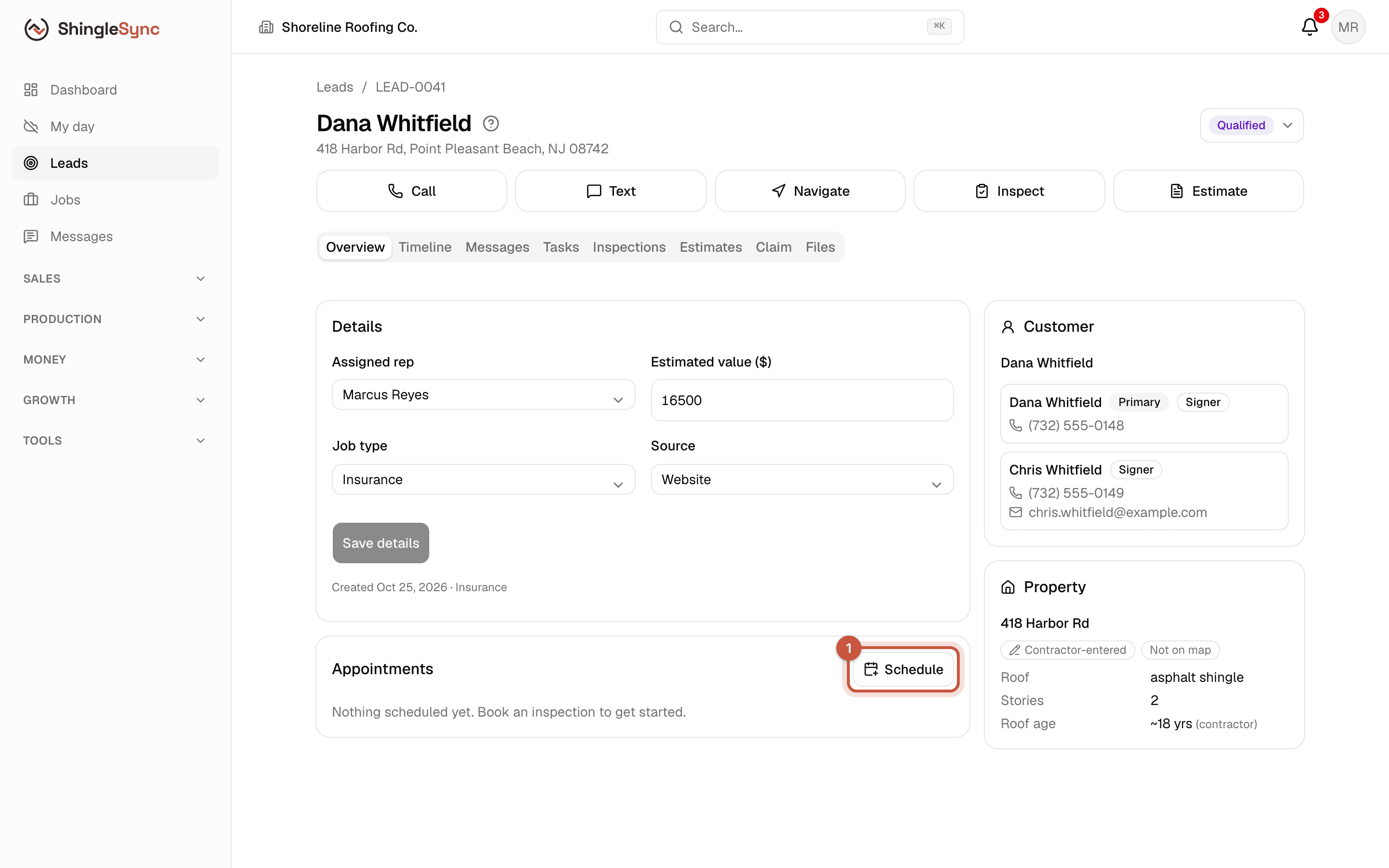
Book the inspection · 23 s, no soundWho: Sales repOffice
Lead overview with the Schedule button in the Appointments card
1In the lead's Appointments card, click Schedule.
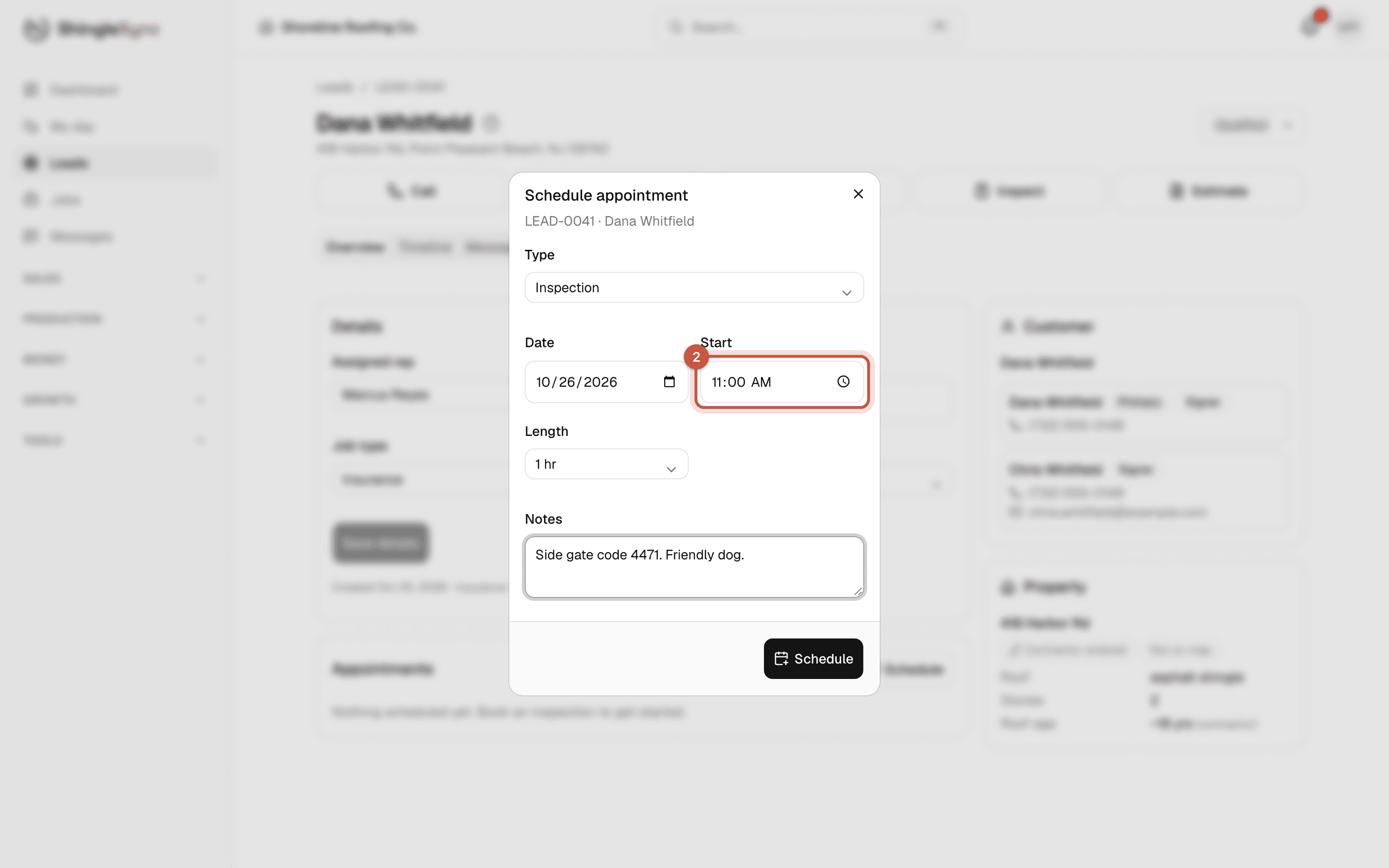
Schedule appointment dialog: Inspection, tomorrow, 11:00, 1 hour
2Pick the type, date, start time and length. Inspection is already selected.
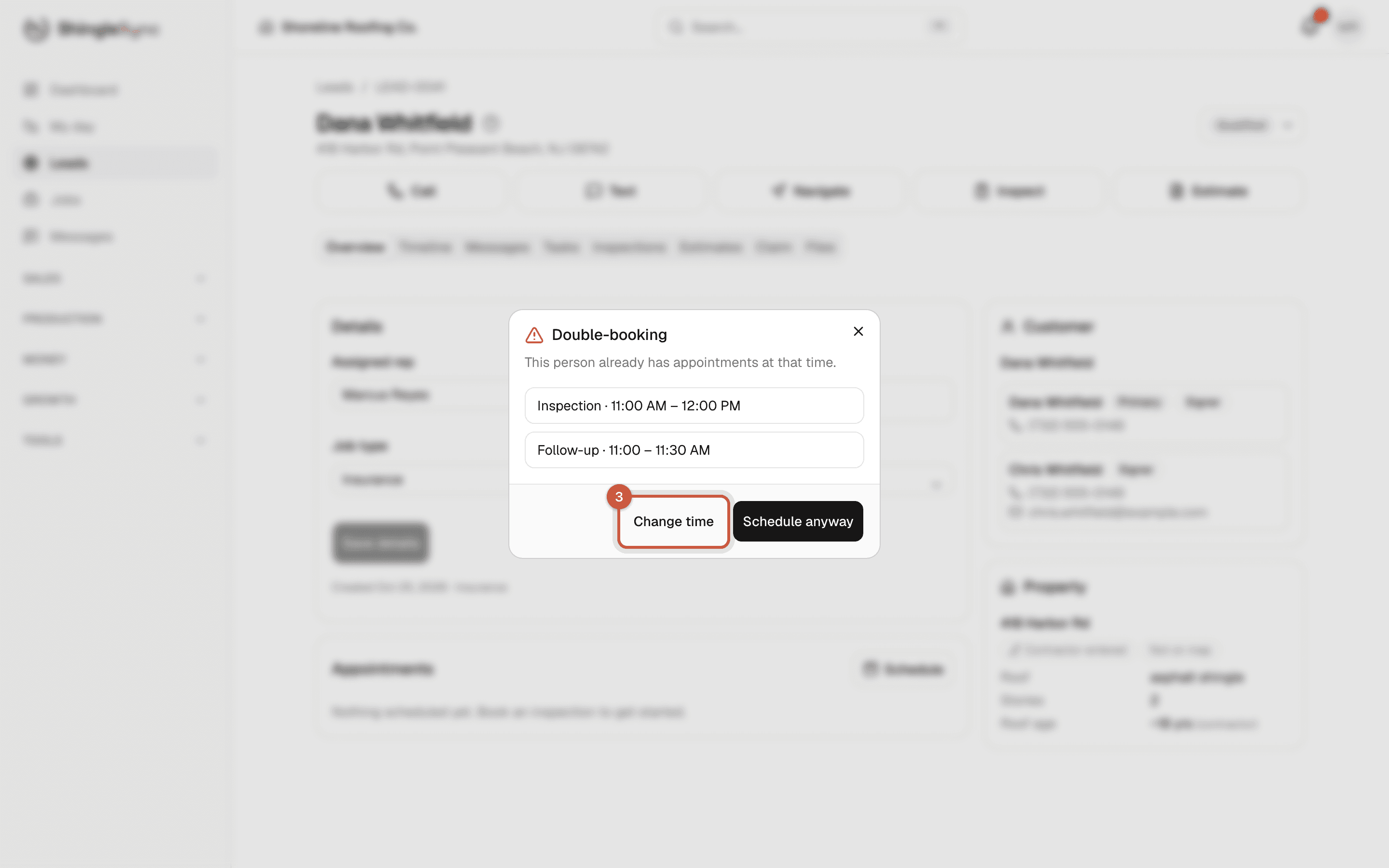
Double-booking warning listing the appointments that overlap
3If you're already booked then, ShingleSync says so before saving. Change the time, or schedule anyway.
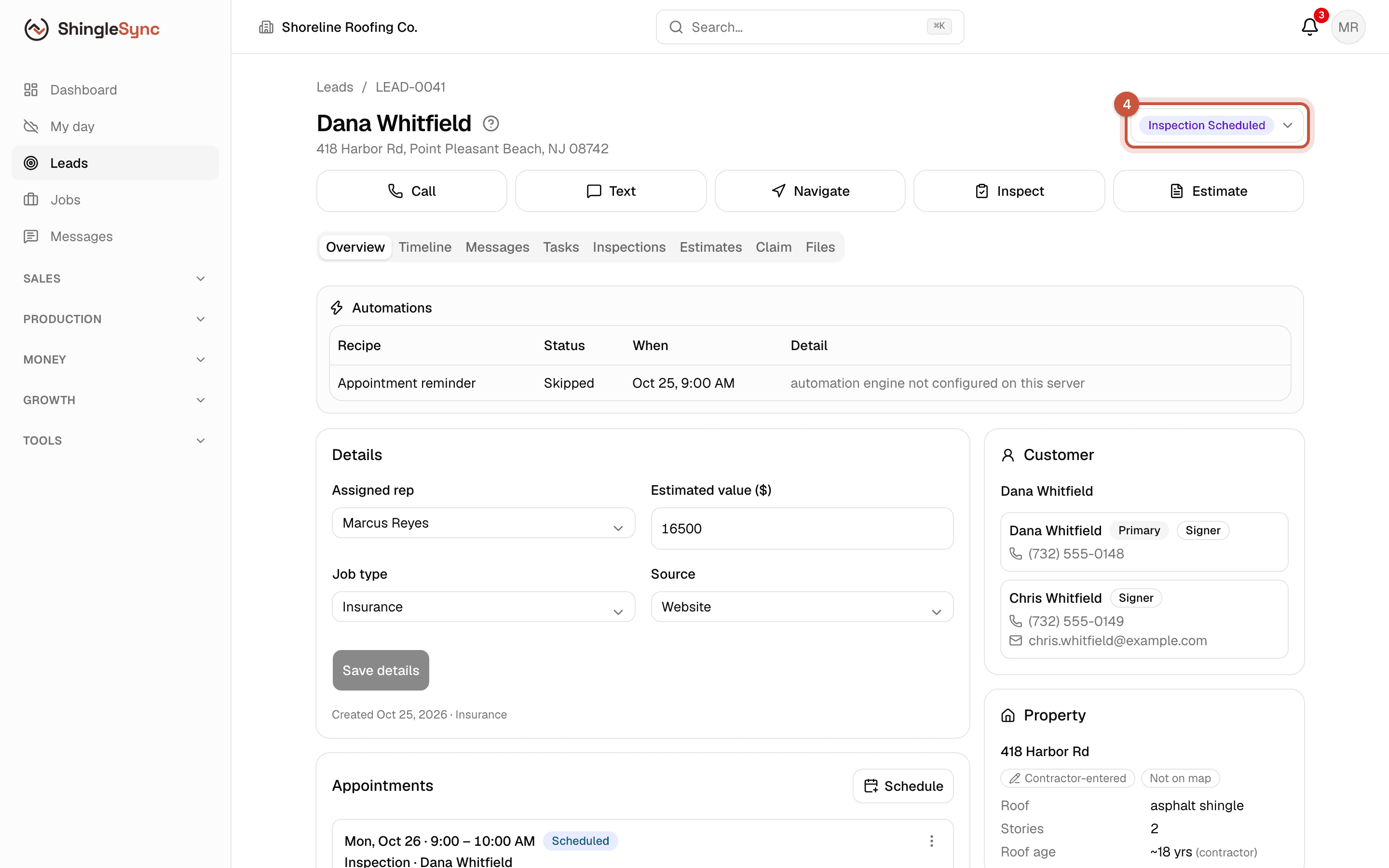
Lead with the stage Inspection Scheduled and the inspection appointment card
4The inspection is on the lead and the calendar, and the lead moves to Inspection Scheduled.
Who it's with: reps book appointments for themselves. Owners, admins and the office can choose who the appointment is with.

The calendar
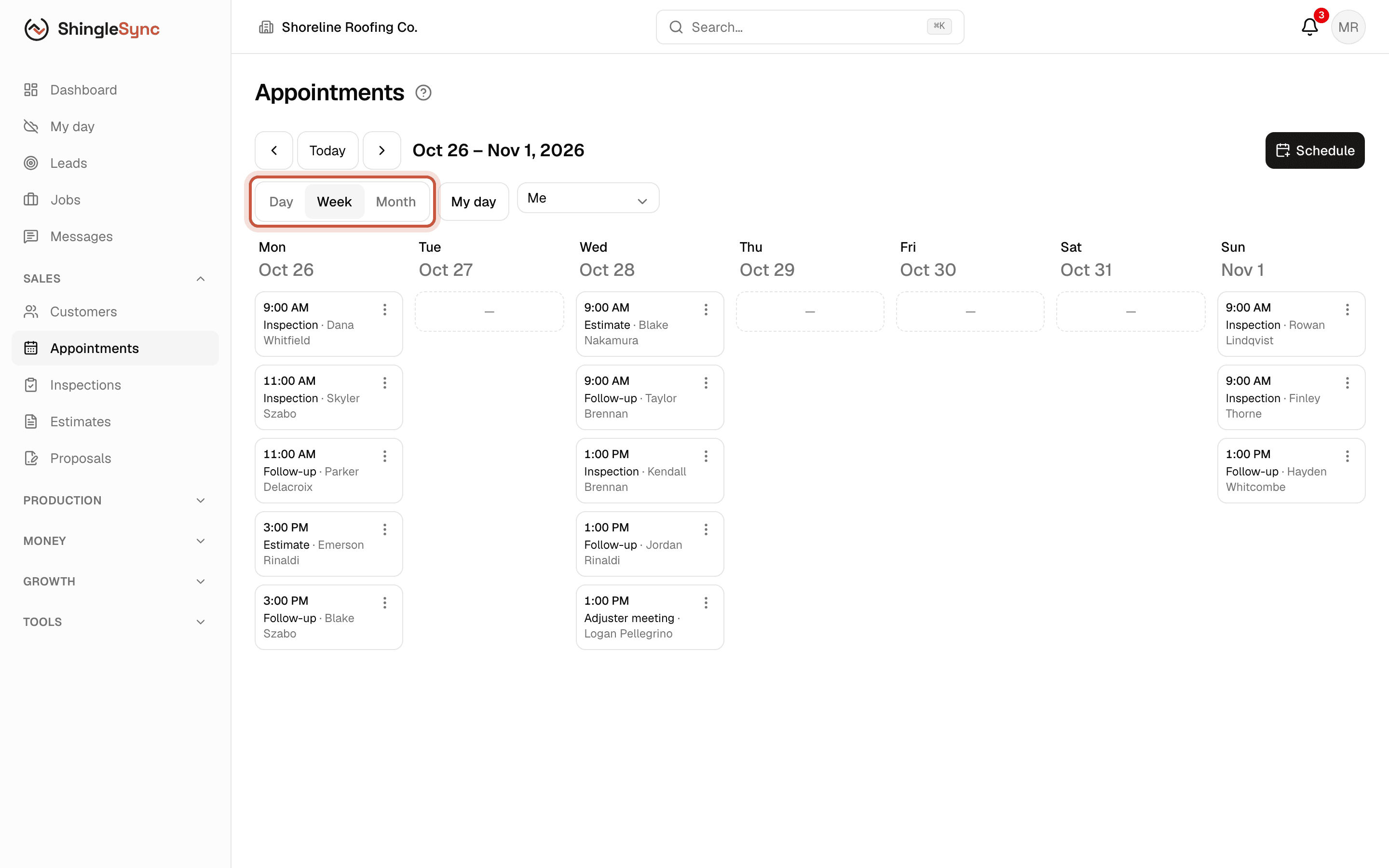
Week view of the calendar with the Whitfield inspection
Appointments shows your day, week or month. Switch to Everyone to see the whole team.
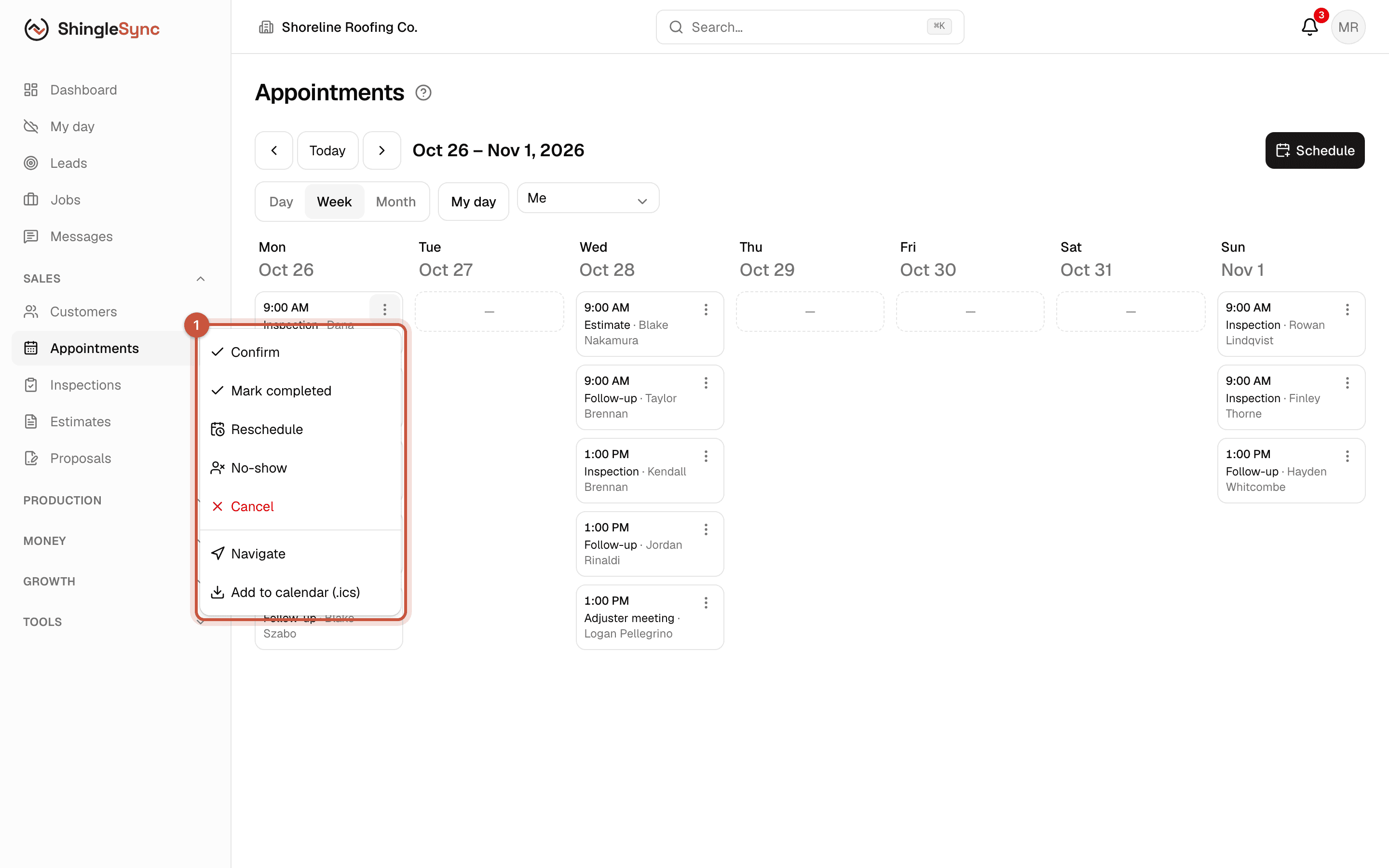
Appointment actions menu: Confirm, Mark completed, Reschedule, No-show, Cancel, Navigate, Add to calendar
1Each appointment's menu confirms, completes, reschedules or cancels it, gives directions, and adds it to your own calendar (.ics).

Reschedule keeps the original time in the lead's history, so you can always see what was moved and when. Add to calendar (.ics) puts the appointment in Google, Apple or Outlook calendar.

My day on your phone
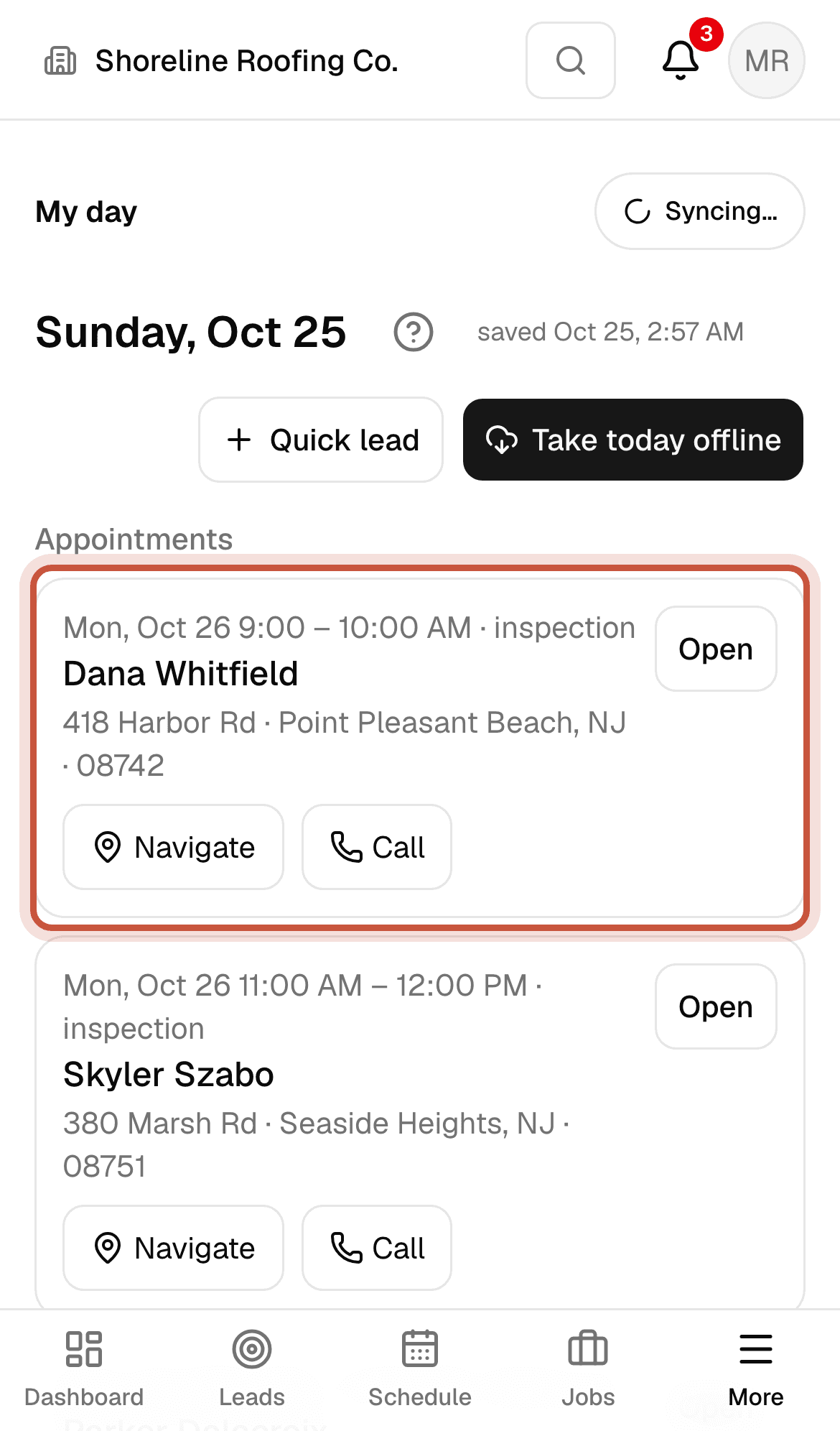
My day on a phone listing tomorrow's appointments, including the Whitfield inspection
My day lists today's and tomorrow's appointments with Navigate and Call, and can save them on the phone for when there's no signal.

Take today offline saves the day's appointments and leads on the phone before you head out, in case you lose signal.